description: "Theme studio for the DeepSeek Harness Web GUI: eight preset styles, accent and surface-translucency fine-tuning, and a host-side wallpaper library."
dsh-style-hub

English | 中文
Summary
dsh-style-hub is a composition plugin (host half + browser half) that gives the DeepSeek Harness Web GUI three things in one settings card:
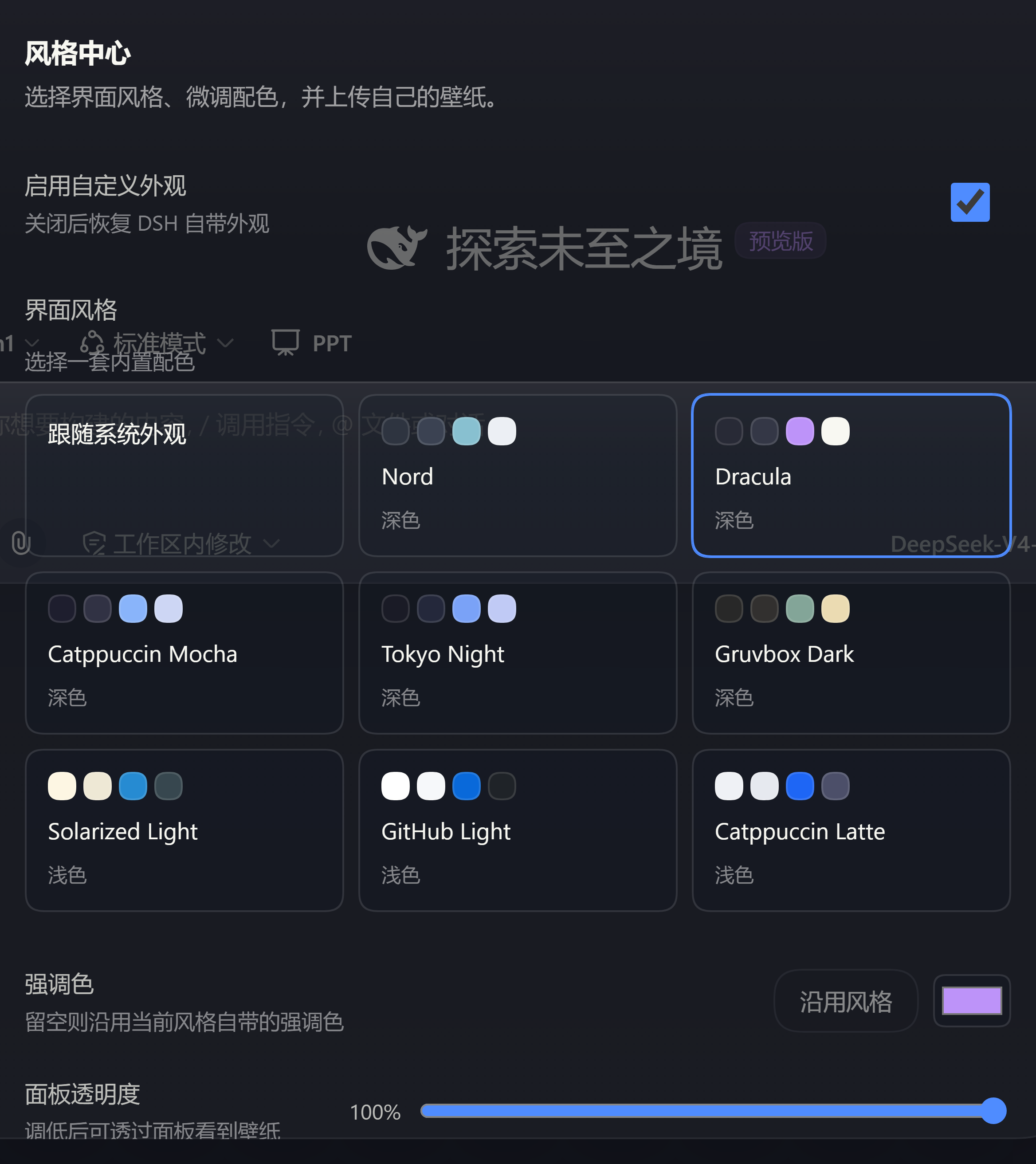
- Preset styles — eight bundled palettes registered as first-class themes, so the design system's own token directory does the work instead of a stylesheet that fights it.
- Fine-tuning — a brand accent, and a panel-opacity slider that turns the raised surfaces translucent so a picture can show through them.
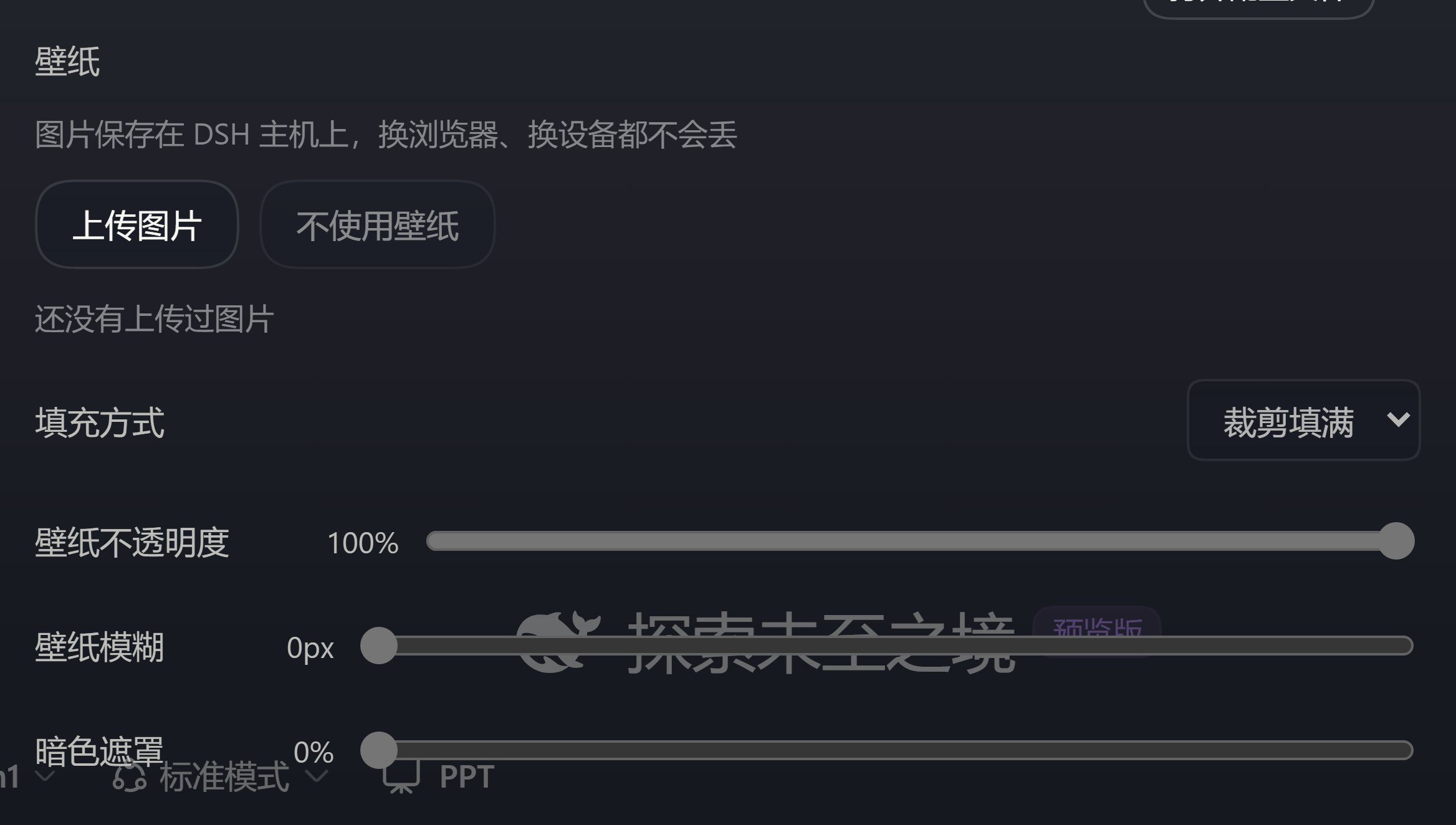
- A wallpaper library of your own — images you upload are stored on the Host next to its other data, served over one route, and painted as a layer under the application frame.
Everything lives in the Plugins → Style Hub card. Turning the master switch off restores the appearance exactly as it was: this plugin never decides what "normal" looks like for your deployment.
Screenshots
Settings → Plugins → Plugin configuration, with the Dracula preset active:
The wallpaper section of the same card — upload, fit, opacity, blur and dim:
The same card in context, inside the settings dialog:
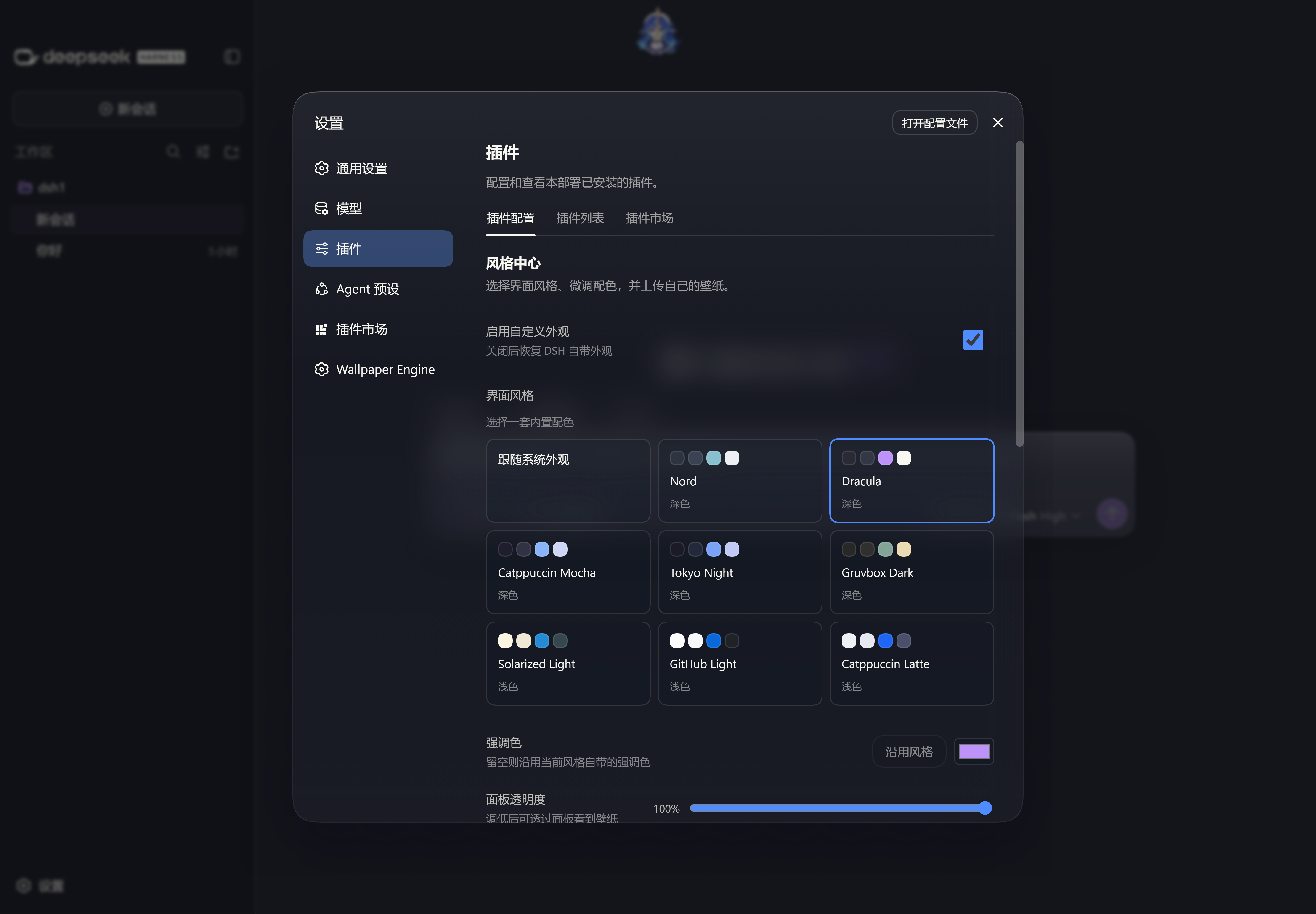
Table of Contents
- Screenshots
- Install
- Use it
- Settings reference
- The wallpaper library
- Design decisions
- Known limitations
- Development
Install
The package wires itself: dsh.bundle.patch points at the bundled cordis.patch.yml, which inserts one host row (dsh-style-hub) over whatever layers the profile already composes. The browser half is discovered separately, through the dsh.client manifest in package.json. Neither half needs a hand-written row.
In a DSH Desktop profile (the usual way to try it):
Unpack the package into the profile's
node_modules, named after the package:cd "$DSH_HOME/profiles/web/node_modules" # e.g. %APPDATA%/dsh-desktop/harness/profiles/web/node_modules tar -xzf dsh-style-hub-0.1.0.tgz && mv package dsh-style-hubIn that profile's
package.json, add"dsh-style-hub"todependenciesand todsh.profile.bundles.Re-install the profile (pnpm, hoisted) and restart the app.
In a composition you own: add dsh-style-hub to the same bundle list that carries @deepseek-ai/dsh-base and @deepseek-ai/dsh-web-app, install, restart.
DSH Desktop note. The official plugin list owns a package switch for every bundle, and flipping it (or the market reconciling on its own) rewrites both
dsh.profile.bundlesand this profile'scordis.patch.yml— adding or removing thedsh-style-hubrow so the switch and the composition agree. If the card goes missing after an operation on that page, check that the entry is present in both files and restart the app.
Requirements. A web composition that already carries dsh-client-ui-settings-plugins (the card's slot), dsh-client-ui-theme (the theme registry), and dsh-client-locale. The runtime peer range is >=0.1.5-rc.2 <0.2.0; npm run build typechecks against 0.1.5-rc.3, the first release of that line that ships type declarations.
The Host registers the style-hub settings namespace, serves /api/style-hub/wallpapers, and answers every page load with the boot wallpaper rule. webServer is an optional peer: in a profile with no HTTP surface the bundle still loads, and the route plus the boot rule simply stand aside.
Use it
Open Settings → Plugins → Plugin configuration → Style Hub.
- Pick a style chip, or leave Stock selected to follow the built-in Appearance preference untouched.
- Drag Accent and Panel opacity to adjust the active style; opacity
1keeps the theme's own fills. - Choose or upload a wallpaper, then set its Fit, Opacity, Blur, and Dim.
The card writes immediately — there is no save button — because each field is a single revision-fenced write through the client settings scope.
The switch-off contract
setTheme only ever persists light, dark, or system, so a style this plugin registered cannot survive a reload on its own; the style-hub section is what replays it. That also means the preference the user held before this plugin ever selected one of its own has to be remembered somewhere else. It is: the browser half captures it at start and observes every later theme/change, so switching the master switch off hands the preference back rather than pinning a default. Stock never writes to Appearance at all — selecting it means "leave that preference where the user put it".
Settings reference
The section is flat (one field, one write) and every value below is validated twice: by the Host schema, and again by validateSettings, which is where the ranges live.
| Field | Type | Range / values | Default |
|---|---|---|---|
enabled |
boolean | master switch | false |
themeId |
string | stock, or a bundled preset id |
stock |
accent |
string | #rrggbb, or empty to follow the style |
"" |
panelOpacity |
number | 0.8 … 1 |
1 |
wallpaperId |
string | hex storage id, or empty | "" |
wallpaperFit |
string | cover | contain |
cover |
wallpaperOpacity |
number | 0 … 1 |
1 |
wallpaperBlur |
number | 0 … 50 px |
0 |
wallpaperDim |
number | 0 … 1 |
0 |
Bundled preset ids: nord, dracula, mocha, tokyo-night, gruvbox-dark, solarized-light, github-light, latte. The registered theme ids are those with an sh: prefix, so they can never collide with another plugin's themes.
The wallpaper library
- Storage — one directory under the Host's data dir (
$DSH_HOME/dsh-style-hub, overridable withDSH_STYLE_HUB_DIR):wallpapers/holds the bytes,index.jsonholds the catalogue. - Route — a single prefix route,
/api/style-hub/wallpapers, dispatching on its own sub-path:GETthe catalogue,POSTan upload,GET/DELETE /:id. - Accepted uploads — PNG, JPEG, and WebP identified by magic bytes (the declared content type is never trusted), up to 15 MB.
- Safety — writes require a same-host
Origin/Referer, ids are 32 hex chars and are the only path segment the route will read, and display names are stripped of anything a header or markup context could misread.
The Host renders the same wallpaper rule into index.html as an injection row, so the very first paint already shows your picture; the browser half then owns that layer for the rest of the session.
Design decisions
No menu blur. A backdrop-filter on the menus would need a stable hook the design system does not offer — --dsw-mask-blur is declared but never consumed, and the menu cards carry no class this plugin may rely on. The equivalent effect is delivered with tools this plugin does own: panel translucency (the surfaces above the picture go translucent) and wallpaper blur (the picture itself is softened). If the design system later publishes a menu hook, a blur option can be added without breaking anything here.
The canvas is capped while a wallpaper shows. ui-layout paints the frame with an opaque --dsw-alias-bg-base, so with a wallpaper active the base is held at 0.85 alpha — enough for the picture to read through, not so much that the frame stops being a frame.
Tokens are derived, never copied. Each preset is twelve swatches; tokensFor derives the whole --dsw-alias-* directory from them, and no preset emits a --dsw-static-* value (those are shared constants, and overriding them would leak one style into every other). The test suite reads the required token names out of the installed design-system stylesheet, so the derivation is checked against the system rather than against a stale copy.
One tweak layer. Accent and translucency are stacked as a single override layer with a fingerprint, so a reconciliation pass that changes nothing writes nothing — and an empty layer is torn down instead of being registered as "applied but empty".
The first frame is already the style's. The registry that owns a style exists only once the browser half has registered it, so until then the design system paints the stock palette. The Host derives the same token directory from the section — tweaks included — and injects it as a script row that writes it exactly where the presenter writes it: inline variables on body, the dark-palette attribute, the root color-scheme. Inline declarations beat every stylesheet however it is ordered, and because the names are the presenter's own, switching the feature off retracts this layer along with theirs instead of stranding it.
Known limitations
- The preference is replayed, not persisted. A style selection lives in the
style-hubsection; the built-in Appearance preference stayslight/dark/system. Reloading replays it from the section. - Changing Appearance while a style is active snaps back. That is deliberate — the feature is on, so the style wins — and the new Appearance choice is remembered as the preference to restore. Turn the master switch off to steer Appearance yourself.
menuBlurdoes not exist. See Design decisions.- Another plugin's glass can wash out a light preset.
wallpaper-enginecolours the settings dialog through its own persisted glass colour (玻璃颜色→--we-glass-color), and that value is used in both appearances. Left on its dark default while a light preset is active, the dialog reads as flat grey. Pick the white glass (or turn the window glass off) in that plugin's settings.
Development
npm install --legacy-peer-deps
npm run check   # typecheck, build all three artifacts, syntax-check, test
npm run build produces:
lib/index.js— the Host half, ESM, bare specifiers external.lib/client.js— the browser half, wrapped in thewindow.__ModuleLoader__.load({ id, factory })shell the composition's module loader expects.lib/types/**— the declaration tree (emitted separately, because the sources import.tsextensions).test/build/*.test.js— the tests, bundled because they import TypeScript sources directly.
Tests are plain node:test:
npm test
See docs/architecture.md for how the two halves fit together.
License
MIT — see LICENSE.
No comments yet. Be the first to write one.