DSH HUB
HomePlugin StorePlugin PacksCommunityRankingsResourcesPublish Guide
Plugin source
Back to catalog

ArtificialNotImbecile /

ArtificialNotImbecile/dsh-remote-runtime

Verified

Managed, isolated DeepSeek Harness runtimes over OpenSSH with a native Web control surface.

★ 0 Stars0 Forks0 IssuesN/A Community rating0 Confirmed installs
View on GitHub
READMESource: main@97952a51

DSH Remote Runtime

English | 简体中文

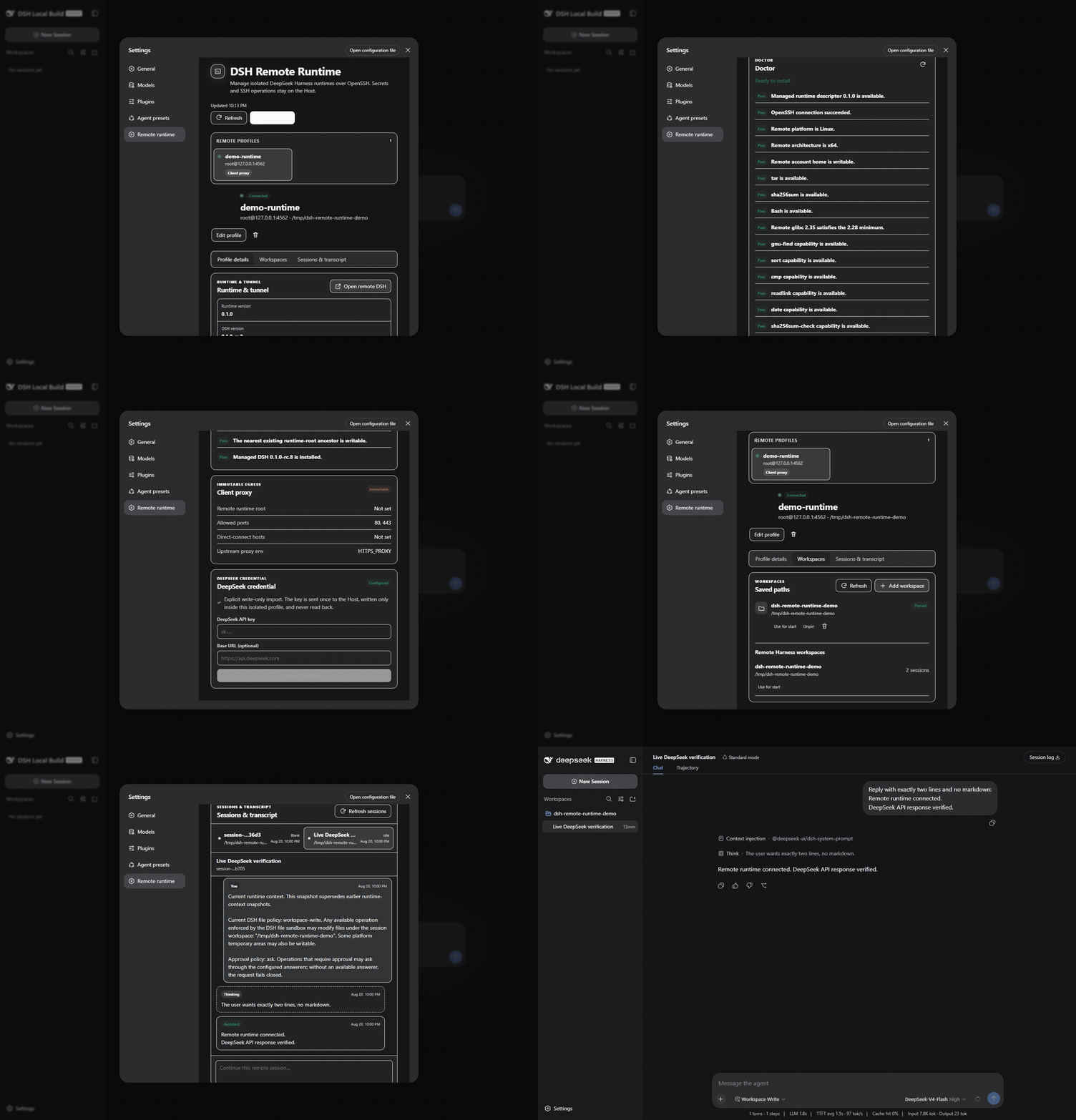
Run an isolated, official DeepSeek Harness on a Linux host and reach it through OpenSSH. DSH Remote Runtime is a standalone community plugin for the DeepSeek Harness 0.1.0-rc.8 Web profile. It adds a bilingual control surface for remote profiles, explicit runtime installation, workspaces, tunnels, credentials, and remote Session history without modifying Harness source.

The browser never runs SSH, reads files, starts processes, or receives stored secrets. Those operations remain in the plugin's Host half and cross the existing DSH Typert Remote boundary as bounded JSON summaries.

Why another remote plugin?

The unscoped dsh-remote package is an established SSH/SFTP workspace assistant: a local Harness operates on remote files and mirrors them into a local workspace. This project solves a different problem.

dsh-remote DSH Remote Runtime
Harness process Local Runs on the remote Linux host
Primary boundary Remote files and commands Isolated remote DSH_HOME, runtime, Web API, and Sessions
UI Remote workspace picker and tools Profile wizard, Doctor, runtime/tunnel controls, workspaces, history, and the remote DSH Web UI
Remote Node/npm Depends on the selected workflow Not required; the managed runtime includes Node and pinned DSH packages

The projects can coexist because they use different package names, state roots, and product boundaries.

What it provides

  • Stable profile UUIDs and a distinct remote DSH_HOME per profile. Two profiles on one SSH host never share Sessions, credentials, workspace state, or process control files.
  • System OpenSSH authentication: SSH config, IdentityFile, ssh-agent, ProxyJump, and host-key policy remain yours. The plugin does not store SSH passwords or private keys.
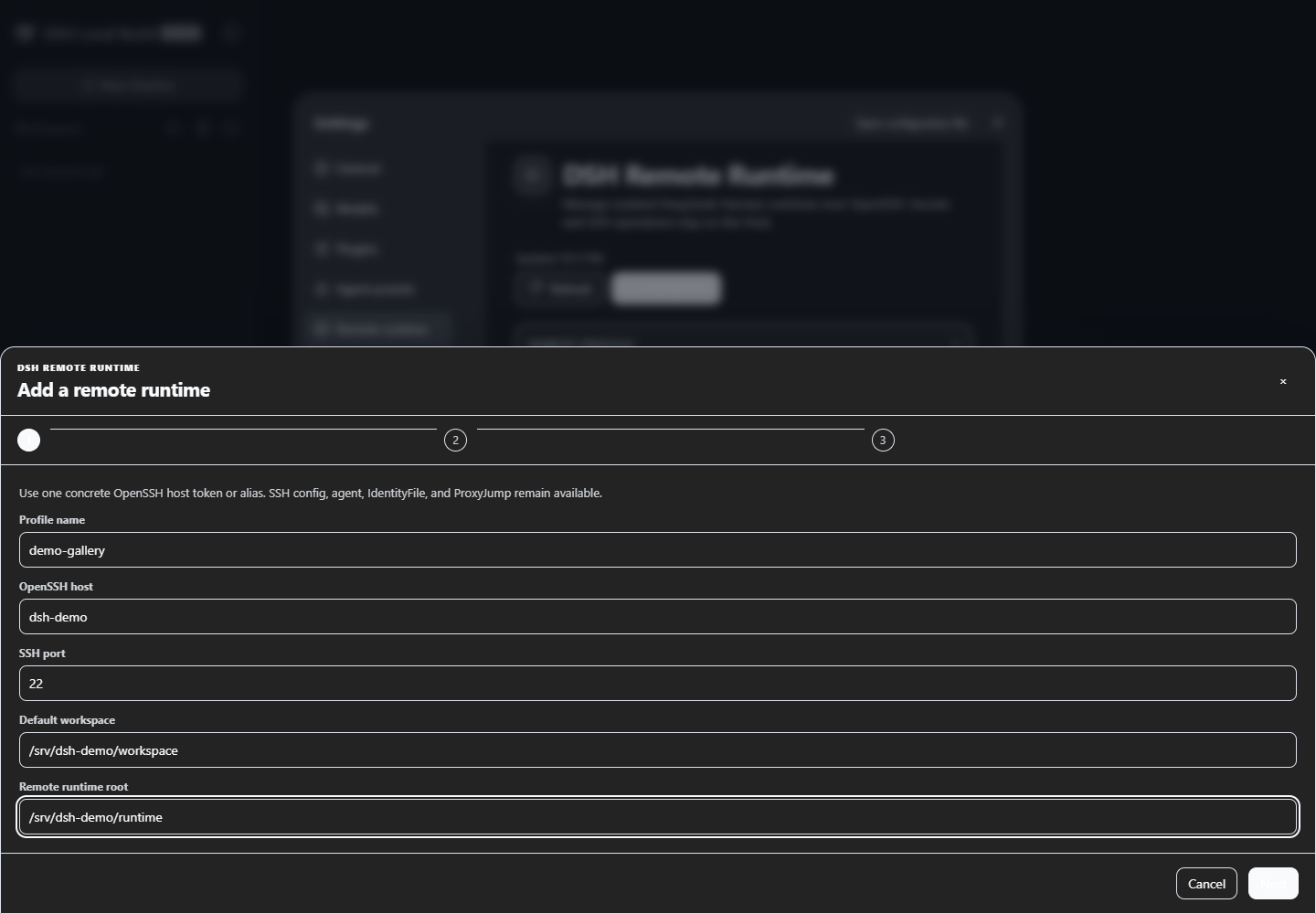
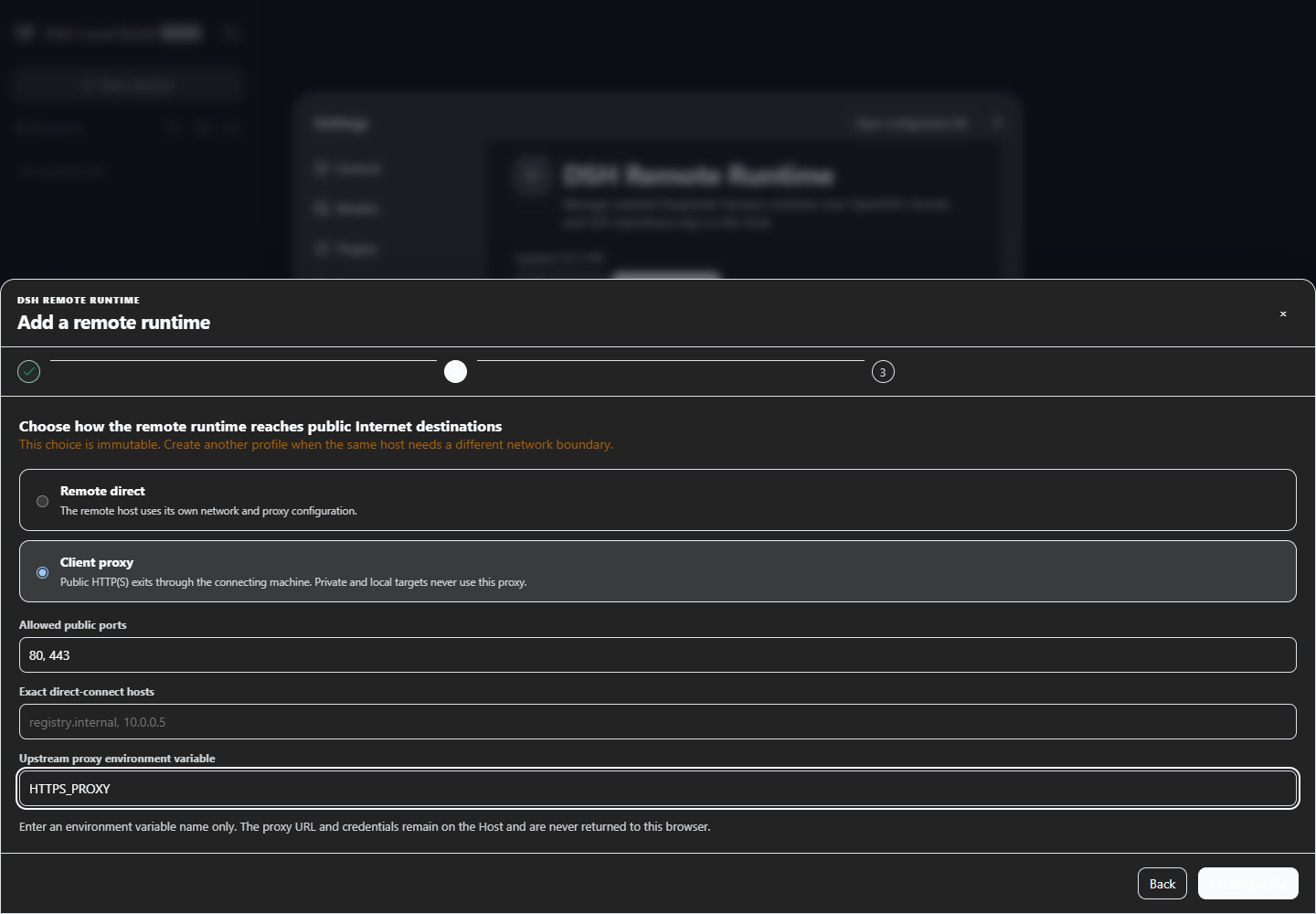
  • A three-step Settings wizard inspired by Jasmine's remote profile UI:
    1. profile name, OpenSSH host, optional port, workspace, and runtime root;
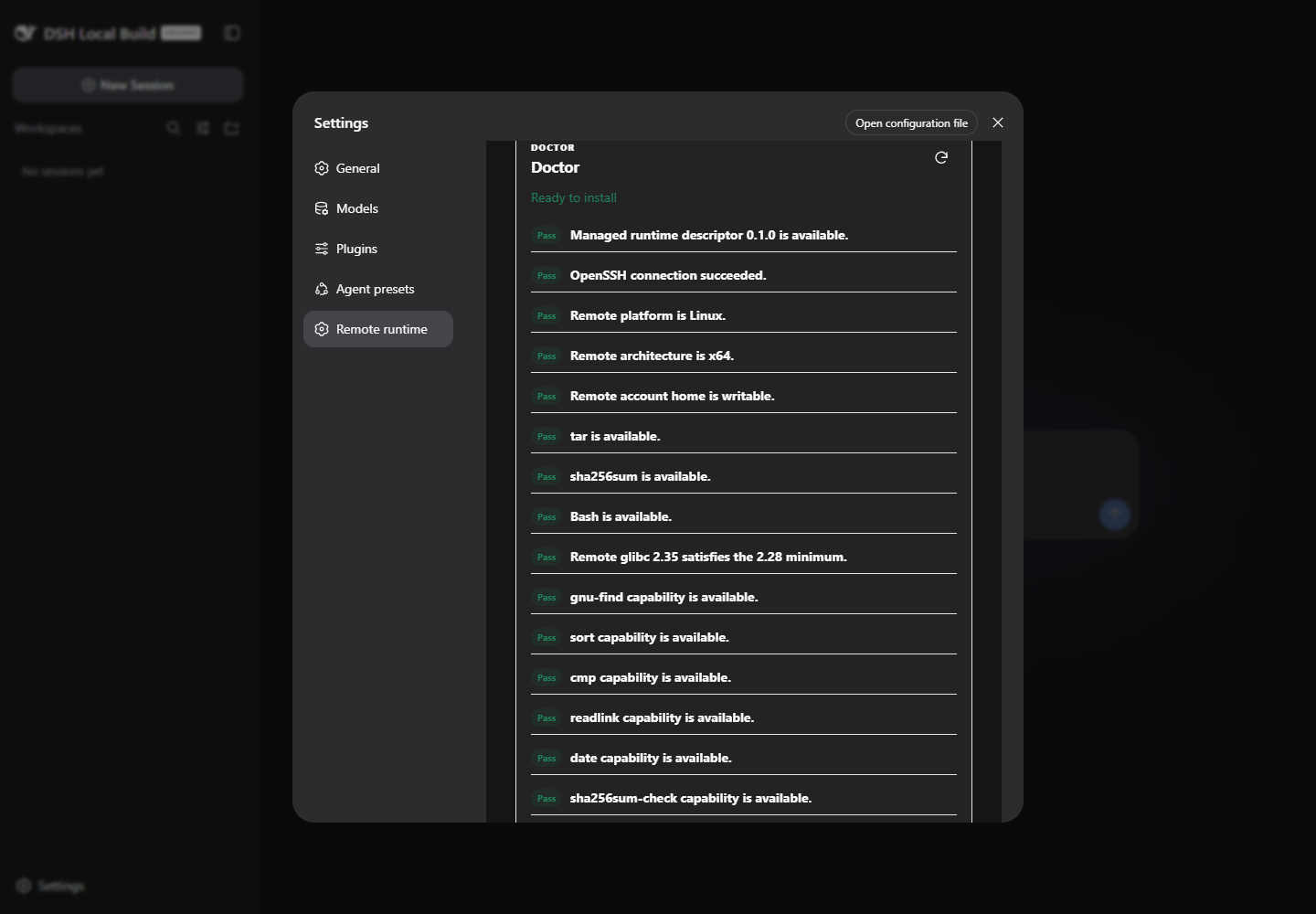
    2. immutable remote-direct or client-proxy egress;
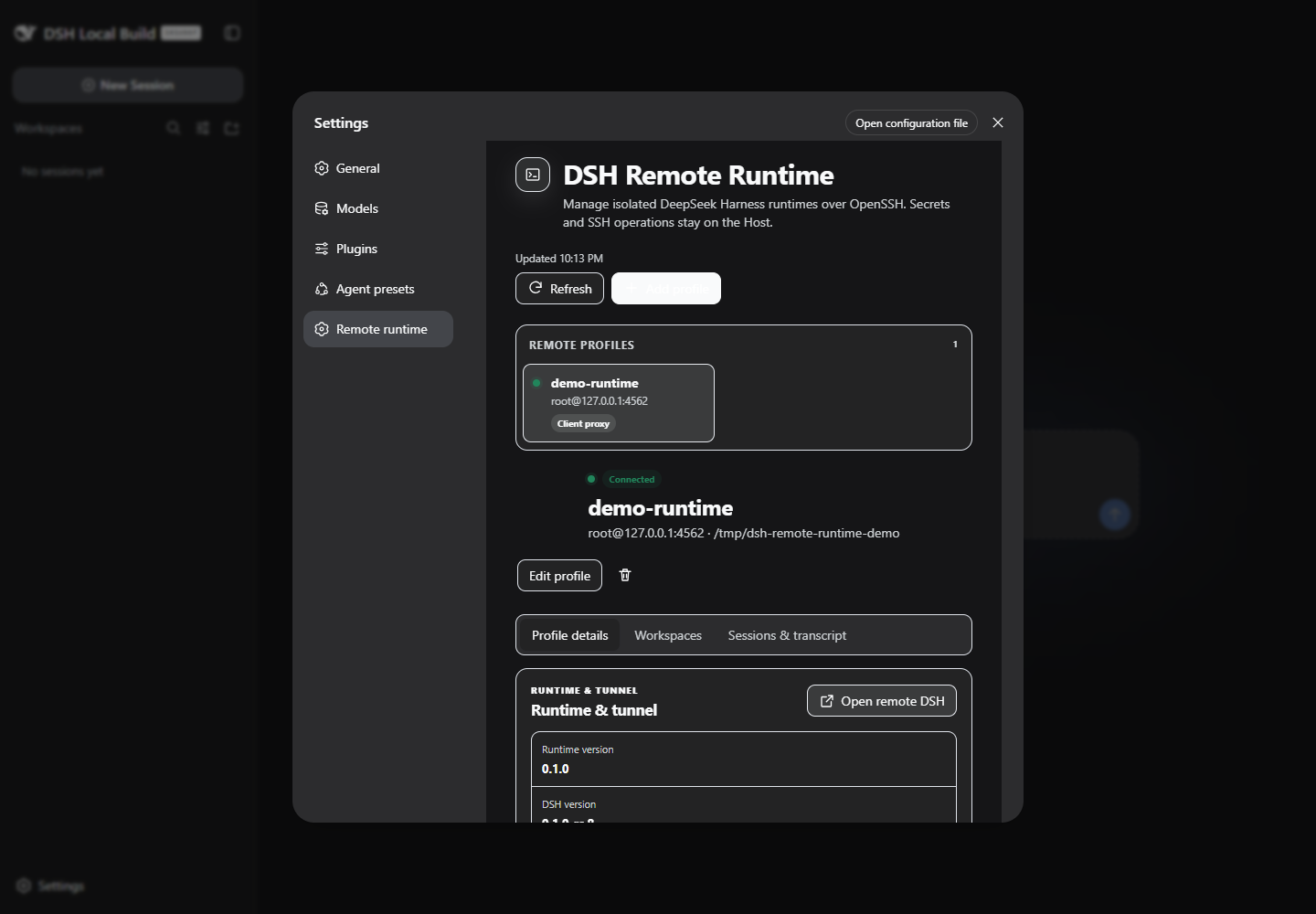
    3. read-only Doctor followed by an explicit, separate Install action.
  • A content-addressed Linux x64 runtime containing Node 22.19 and official DSH 0.1.0-rc.8. The outer archive and every extracted file are SHA-256 verified before activation; failed installs do not replace the current runtime.
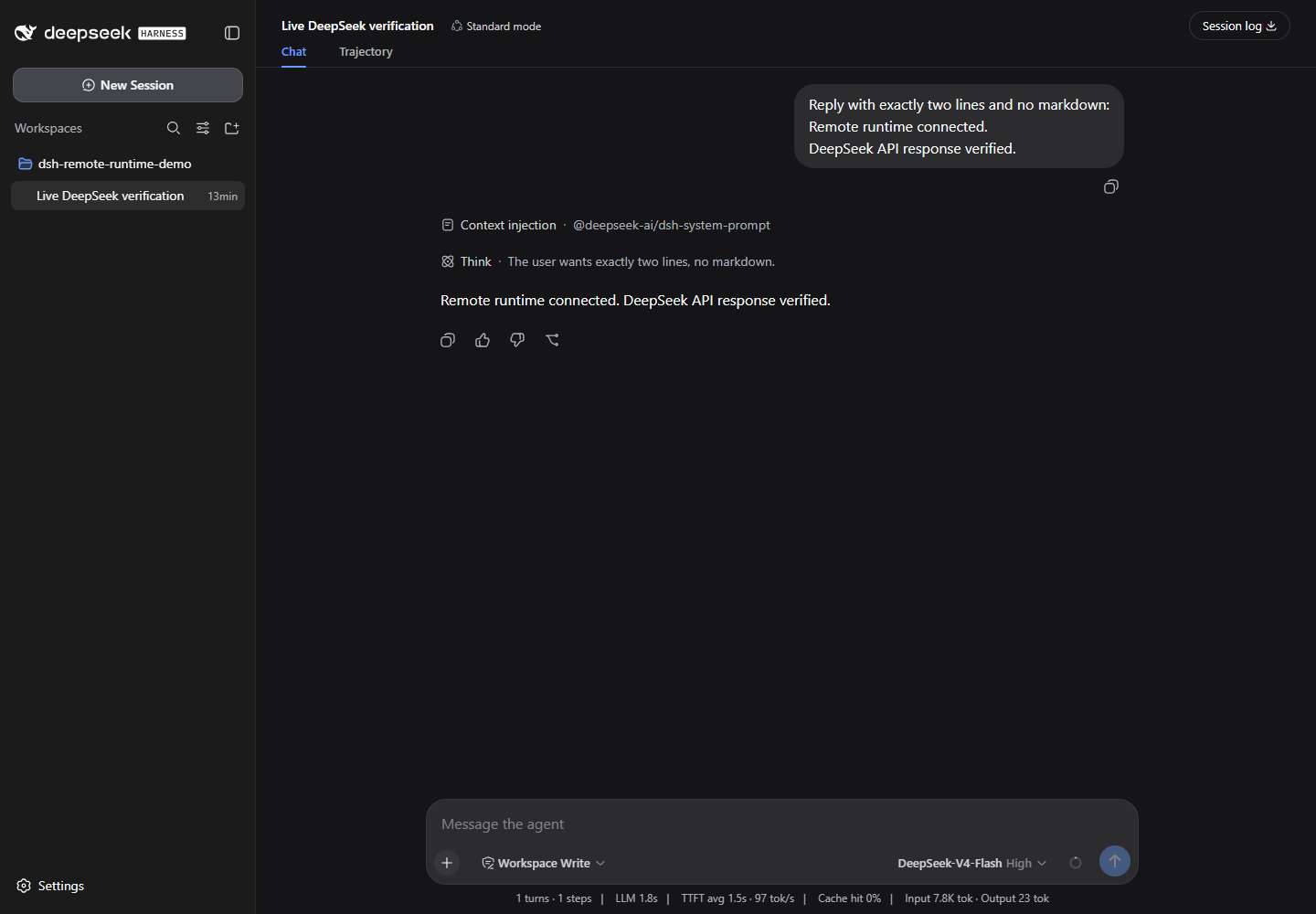
  • A remote official dsh web --no-open process bound only to remote loopback, reached through a local-loopback OpenSSH tunnel.
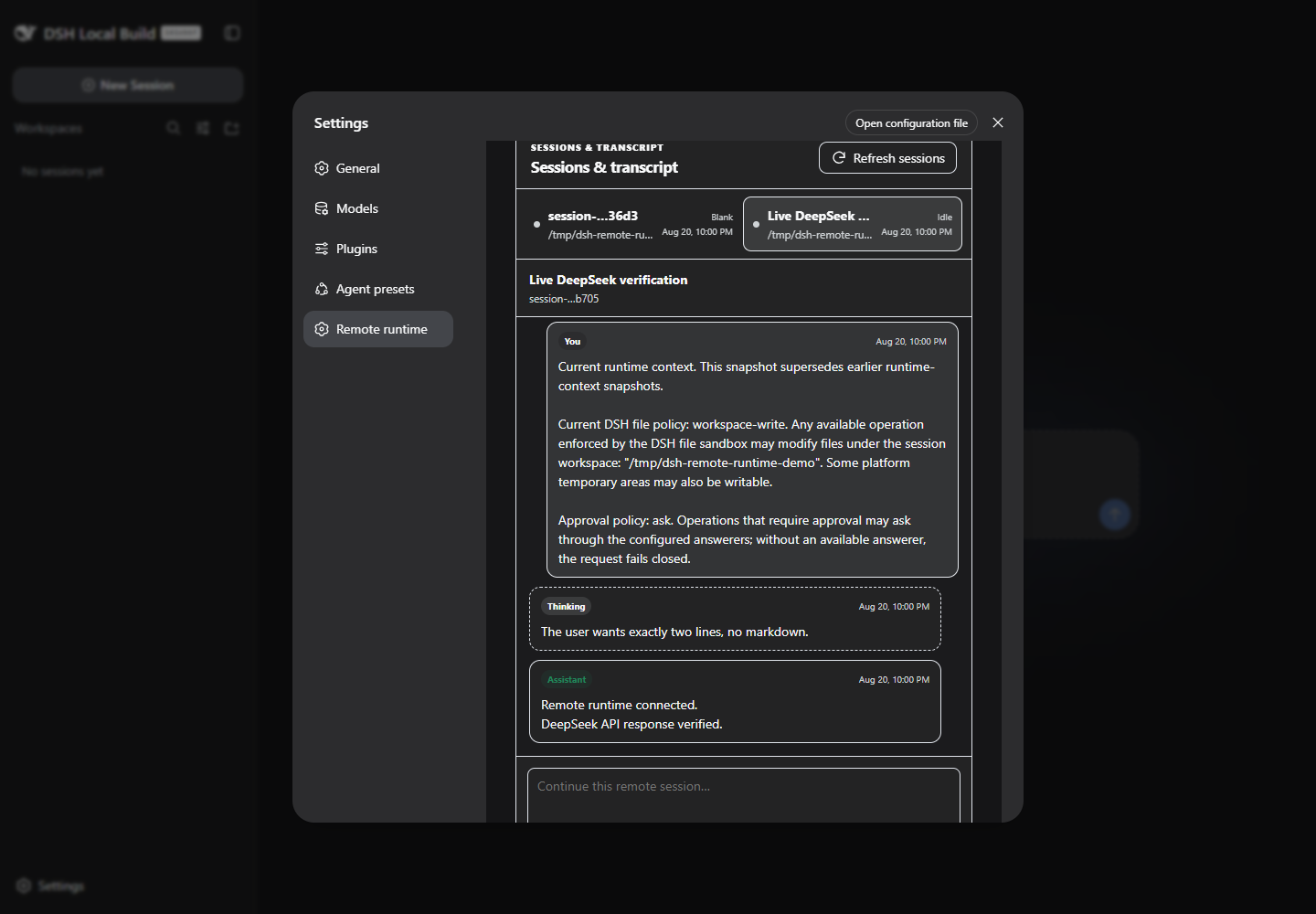
  • Official DSH Host API integration for host.describe, workspaces, Session lists, paged history, prompt admission, and cancellation. The plugin does not parse DSH's private SQLite data or compressed Session storage.
  • Explicit, write-only DeepSeek credential import into the selected profile. Credential values are never returned to the browser, status API, logs, snapshots, or process arguments.
  • Optional authenticated client-proxy egress with DNS-rebinding checks and metadata-only bounded audit logs. Private, loopback, link-local, CGNAT, metadata, multicast, documentation, and IPv6 ULA/link-local destinations fail closed.
  • Disconnect leaves the remote Harness running. Stop is a separate operation and verifies process ownership before sending a signal.

Compatibility

This first release deliberately pins the current developer-preview boundary:

  • local Harness: exactly 0.1.0-rc.8;
  • client: Windows, macOS, or Linux with Node ^22.19.0 || >=24 and system ssh;
  • remote: Linux x64, glibc 2.28 or later, Bash, tar, gzip, sha256sum, and a writable home directory;
  • interactive UI: the DSH Web profile.

DeepSeek Harness is pre-release software. A later DSH version is unsupported until this plugin's exact peer versions, generated Typert contract, assembled-profile smoke, and live acceptance have all moved together.

Install from this checkout

The npm package is intentionally not published yet. Build and install the exact local tarball:

corepack pnpm install --frozen-lockfile --ignore-scripts
corepack pnpm run check
corepack pnpm pack --pack-destination test-results

npx.cmd --yes @deepseek-ai/dsh@0.1.0-rc.8 plugin --profile web add `
  .\test-results\artificialnotimbecile-dsh-remote-runtime-0.1.0.tgz
npx.cmd --yes @deepseek-ai/dsh@0.1.0-rc.8 web

Restart an already-running Web profile after adding, updating, or removing the bundle. The plugin manager changes only the selected profile under DSH_HOME; it does not patch a DeepSeek Harness checkout.

For source iteration, an absolute checkout path also works:

npx.cmd --yes @deepseek-ai/dsh@0.1.0-rc.8 plugin --profile web add C:\path\to\dsh-remote-runtime

Git source installs run the package prepare script. pnpm may first require the exact reviewed Git dependency to be added to that profile's allowBuilds; follow the path-specific diagnostic it prints. A prebuilt tarball avoids that build-time permission.

First remote profile

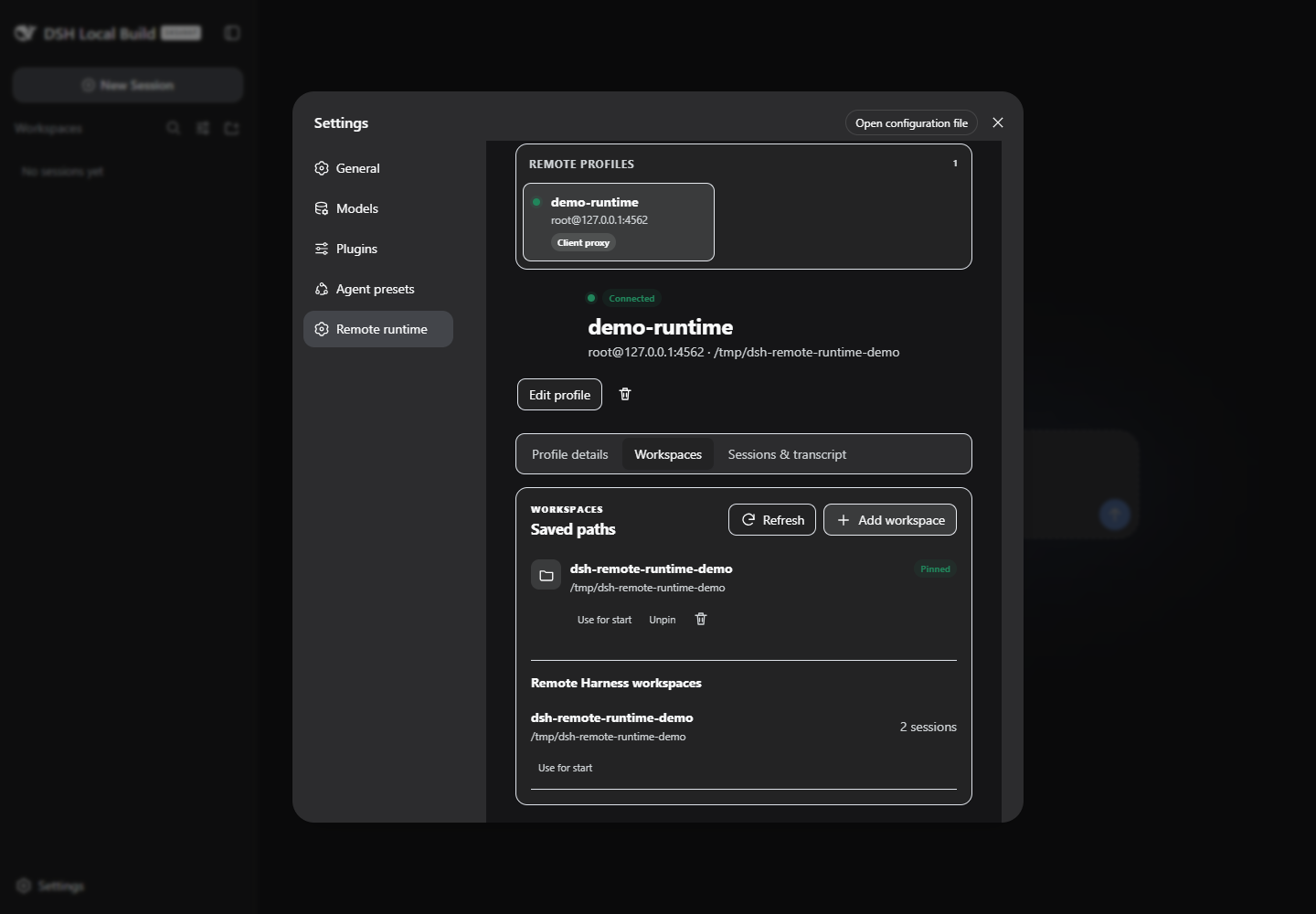
Open Settings → Remote runtime:

  1. Add an OpenSSH host and an optional absolute remote workspace.
  2. Choose egress. The choice and remote root are immutable because together they identify the isolated remote state tree.
  3. Save the profile. This writes local metadata only.
  4. Run Doctor. Doctor connects and inspects prerequisites but never downloads or installs a runtime.
  5. Choose Install verified runtime explicitly.
  6. Import one DeepSeek key explicitly, then start the remote runtime.
  7. Open the loopback tunnel URL for the complete remote DSH UI, or inspect workspaces and Session history in the plugin page.

Removing a profile removes its local connection metadata and local audit/cache data only. It does not delete the remote runtime, credentials, workspaces, or Sessions.

State isolation

By default, one remote profile owns:

${XDG_DATA_HOME:-$HOME/.local/share}/dsh-remote-runtime/
  objects/<artifact-sha>.tar.gz
  runtimes/<artifact-sha>/
  profiles/<profile-uuid>/
    runtime.json
    harness/                  # this profile's DSH_HOME
      .credentials.yaml
      sessions/
      storages/
    control/                  # owner-verified pid, port, logs, launch data

The runtime is content-addressed and can be shared safely; everything user- or Session-owned stays below the profile UUID.

Local connection metadata lives below the plugin root configured by cordis.patch.yml, normally $DSH_HOME/dsh-remote-runtime. Files containing metadata or credentials use owner-only permissions where the platform supports them.

Network modes

remote-direct lets the remote Harness use the remote host's normal network. No local proxy setting is copied.

client-proxy creates an authenticated loopback gateway on the client and an OpenSSH reverse forward bound to remote loopback. Only public HTTP(S) destinations on the configured ports are allowed. An upstream proxy is selected by environment-variable name; its URL and credentials remain on the Host. If the SSH connection disappears, remote agent work is retained but network requests through that proxy cannot succeed until the tunnel is restored.

This is not transparent networking. UDP, raw DNS, ICMP, arbitrary inbound forwarding, containers, cron/systemd, sudo environment policy, and git-over-SSH are outside the v1 guarantee.

Security notes

  • SSH is the access-control boundary. Every forward listens on 127.0.0.1 or ::1; no control or Web listener binds 0.0.0.0.
  • The official DSH Web API has no user authentication because it is a loopback service. Browser controls call it through the plugin Host, and the full remote UI is exposed only through the local SSH tunnel.
  • API keys are delivered over SSH to a mode-0600 profile file and never appear in SSH argv, DSH argv, Remote results, or audit events.
  • A same-UID process on the remote host can read same-UID files. File permissions do not protect a key from an agent deliberately instructed to read its own private profile; use a separate OS account or external credential provider when that separation is required.
  • The client proxy logs host, resolved address, port, allow/deny, byte counts, duration, and error code only. It never logs URLs, headers, query strings, bodies, or credentials.

Development and verification

corepack pnpm install --ignore-scripts
corepack pnpm run typecheck
corepack pnpm run test
corepack pnpm run build
corepack pnpm run pack:check

Build the managed runtime on Linux or through WSL on Windows. Executing the target runtime during runtime:verify requires Linux/WSL with glibc 2.28 or later:

corepack pnpm run runtime:build
corepack pnpm run runtime:verify

Generated archives, keys, profiles, screenshots, and live logs stay under ignored runtime/artifacts/ and test-results/. CI checks Node 22.19 and 24 on Linux and Windows, then installs the packed bundle into an isolated official DSH rc.8 Web profile and verifies the composed configuration.

Project status

This is an independent community plugin. It is not affiliated with or endorsed by DeepSeek. It uses published DeepSeek Harness extension points and keeps Harness itself unchanged.

License

MIT. See THIRD_PARTY_NOTICES.md for the managed runtime and reused scaffold notices.

—/ 5

No ratings yet

Verified DSH bundle

Commit 97952a51118e

Community comments

No comments yet. Be the first to write one.

DSH HUB

A community index for DSH plugins. Not an official GitHub or DeepSeek AI product.

CommunityResourcesAPIAbout