dsh-pele-mermaid
A DeepSeek Harness plugin that renders Mermaid diagrams inside the Web GUI with Pele — a fast, zero-dependency, themeable Mermaid-to-SVG renderer — both in Markdown document previews and in chat transcripts.
Screenshots
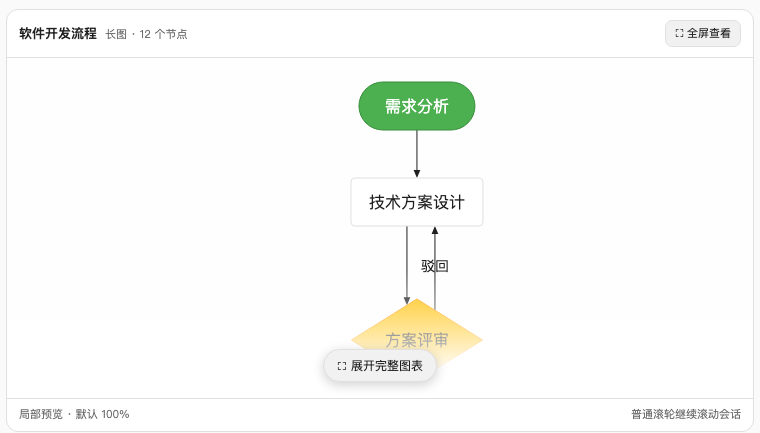
Tall diagrams collapse into a compact preview card that keeps the diagram readable (default 100%) without stretching the conversation; ordinary wheel scrolling still scrolls the chat.
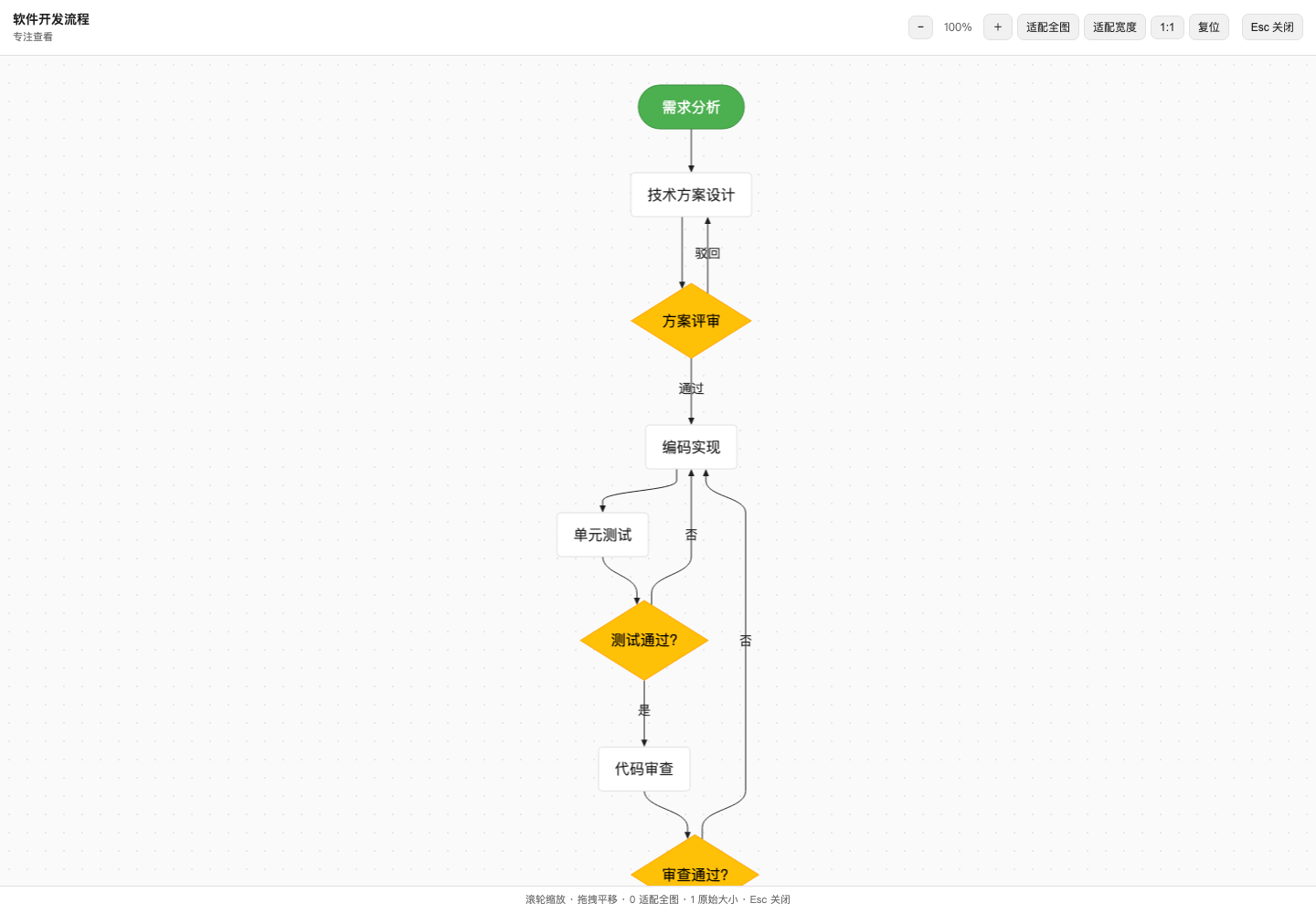
Clicking the preview opens a frame-wide viewer with drag-to-pan, wheel zoom, fit-to-diagram / fit-to-width / 1:1 / reset, and Escape to close.
What it does
The built-in sidebar document preview renders Markdown files as plain text, so
Mermaid fenced code blocks show up as source. This bundle registers an
alternative preview implementation, Markdown + Mermaid, that becomes the
default for .md, .markdown, .mmd, and .mermaid files:
- Fenced code blocks tagged
mermaidrender as SVG diagrams via Pele, themed from the DSH theme tokens (--dsw-alias-*), adapting to light and dark themes. - Everything else renders through the standard
MarkdownTextprimitive, so headings, code blocks, math, footnotes, and images behave as before. .mmd/.mermaidfiles render the whole file as one diagram.- A diagram Pele cannot parse falls back to an error box with the parse message; use the viewer dropdown in the preview header to switch back to the built-in Markdown renderer at any time.
Chat transcripts
The built-in chat has no fence-level rendering hook (MarkdownText is a closed
primitive), so instead of replacing the whole assistant node view, a hidden
component rides the conversation.chat.turnTail list slot and watches the
transcript DOM. Candidate code blocks are identified by shape — an
unhighlighted pre, where registered languages render pre.shiki or a
highlight div — and by content: Pele's detectType must recognize the text as
a diagram. Each accepted block is hidden in place and followed by a sibling
element holding the Pele-rendered SVG. Only DOM the built-in renderer does not
manage (inline style, the inserted sibling) is touched, so streaming, edits,
and React reconciliation keep working. While a source does not parse yet (for
example while it is still streaming in), the ordinary code block stays visible;
the diagram appears as soon as the source parses.
A diagram that would stand taller than ~420 px in the column (after fitting to
the column width) gets a compact 340 px preview instead of stretching the
transcript. The preview keeps the diagram at a readable scale, fades into an
explicit expansion affordance, and never captures ordinary wheel scrolling.
Clicking it opens a frame-wide viewer through shell.overlay with drag-to-pan,
wheel zoom, Fit diagram, Fit width, 1:1, Reset, and Escape controls. The viewer
starts at Fit width (capped at 100%) so a very tall diagram stays readable;
Fit diagram remains available for an overview. Shorter diagrams render inline
as before; the document preview keeps its inline rendering.
Try it
Any fenced mermaid block works. GitHub renders the block below natively on
this page; inside DeepSeek Harness the same block is rendered by Pele through
this plugin:
flowchart TD
    A["Mermaid code block in chat"] --> B{"detectType recognizes it?"}
    B -- "no" --> C["stays an ordinary code block"]
    B -- "yes" --> D{"taller than ~420 px in column?"}
    D -- "no" --> E["inline SVG in the transcript"]
    D -- "yes" --> F["compact 340 px preview card"]
    F --> G["click to open the fullscreen viewer"]
    G --> H["drag to pan · wheel to zoom · fit / 1:1 / reset"]
Install
Requires a DSH runtime matching the engines.dsh range in
package.json — the DSH installer resolves the lower bound to
the runtime the plugin was packaged against:
dsh plugin --profile <name> add <path-to-this-package>
Restart DSH (or reload the Web GUI) if HMR does not pick the change up.
Develop
npm install                      # pele + esbuild + react for building/testing
node scripts/build-client.mjs    # bundle src/client-entry.js -> lib/client.js
node scripts/smoke.mjs           # run the client bundle headlessly
The client bundle is hand-targeted at the window.__ModuleLoader__ factory
format: React and @deepseek-ai/dsh-client-ui-primitives resolve against the
web shell's static module table, and Pele is inlined into the bundle.
No comments yet. Be the first to write one.