DSH Team Bots
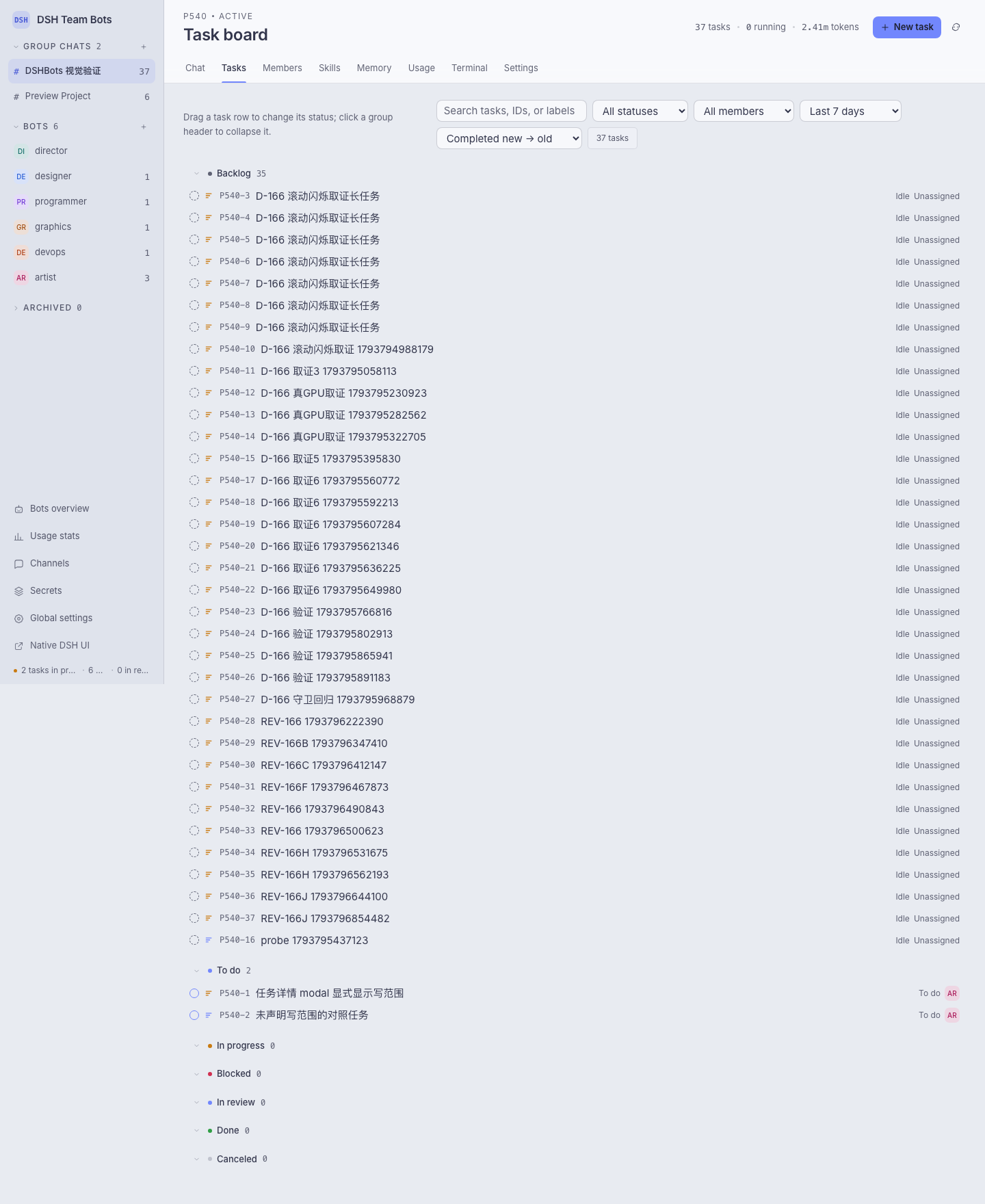
DSH Team Bots is the npm package dsh-team-bots, a DSH (DeepSeek Harness) plugin that packs a collaborating crew of bots into one workspace: project group chats, a task board, write-scope parallel scheduling, memory and skills, usage and cost, plus a personal WeChat channel. Every run keeps a trajectory, duration, token count and cost.
Install
Node.js ≥ 22.19 and the DSH CLI are required; the plugin runs inside the DSH Web process — no standalone service or port.
dsh plugin --profile <name> add dsh-team-bots
dsh --profile <name>                             # read the tokenised dsh web entry from the startup log
The package resolves from the npm registry, so no npm pack or local tarball is needed; npm run profile:install -- --profile <name> does the same from a checkout.
Start
http://<host>:<port>/                     auto-login, straight into the team workspace
http://<host>:<port>/api/dsh-team/ui      the DSH Team Bots workspace (direct)
http://<host>:<port>/index.html           the native DSH web UI
The first visit to the home page exchanges the current startup token for a 30-day login cookie. Auto-login means anyone who can reach the port becomes owner, so listen on the local machine or a trusted network; public exposure needs an HTTPS reverse proxy that forwards Host and WebSocket correctly.
Configuration
The two paths that matter are DSH_TEAM_WORKSPACE (team workspace root, default ~/.dsh/workspace/team-bots) and DSH_TEAM_DATA (team database and run records, default <workspace>/.data); every other variable, its default and its resolution order (explicit env > value saved on the page > code default) live in src/config.ts.
Data under DSH_TEAM_DATA includes team.sqlite, wechat-channel.sqlite, secret.key, memory/, messages/ and secrets-runtime/ (burned on TTL expiry). Back up secret.key together with the data — without it the existing ciphertext cannot be decrypted.
A template for the common variables lives in .env.example; do not put a .env file in the repository root, because that would leak DSH_* into npm test and npm run dev. Plugin files inside a profile are a snapshot: after changing code, reinstall or the page sticks at "connecting to the team space".
Screenshots
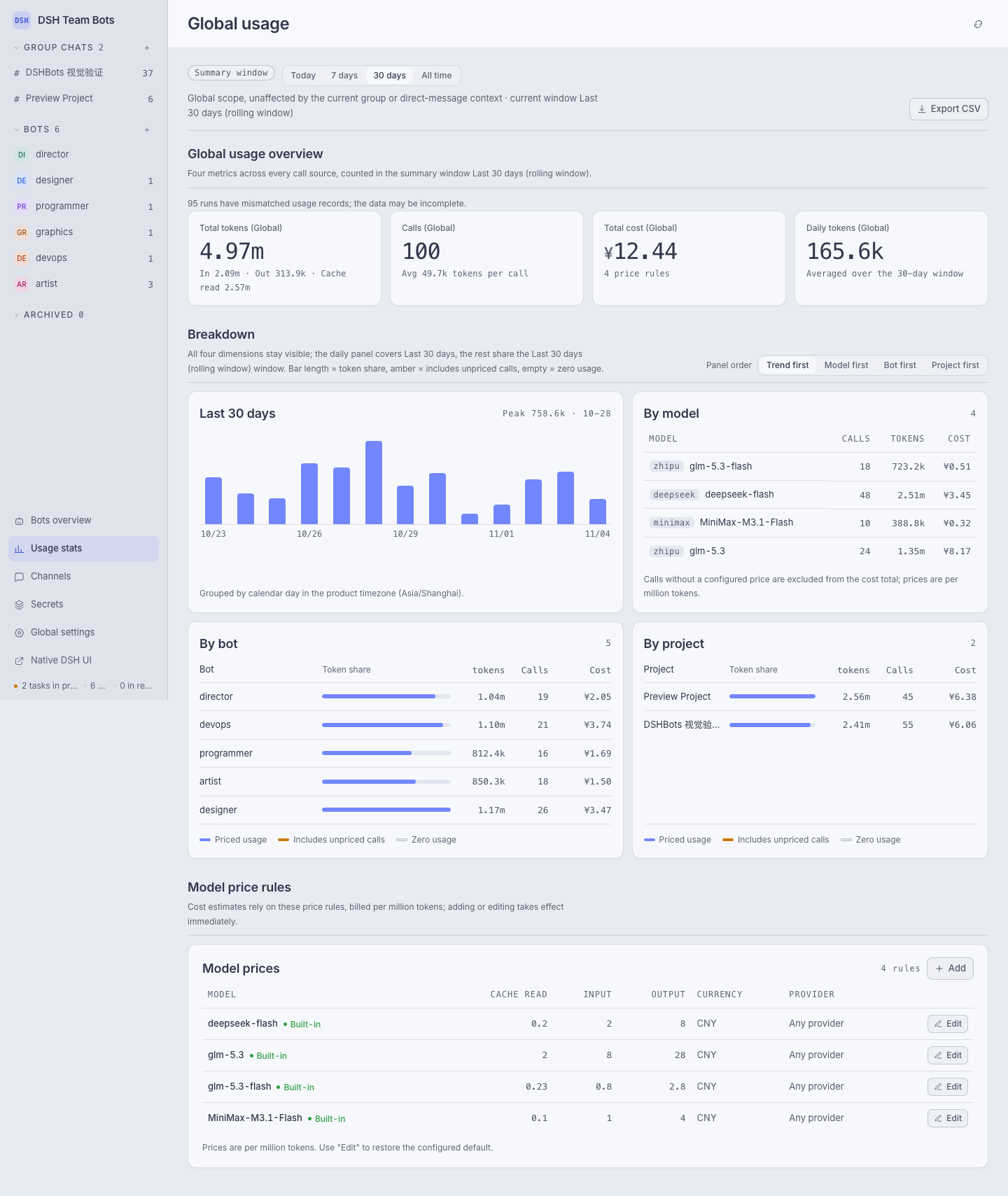
Usage stats carry the summary window, the last 14 days of detail, a per-model / per-bot / per-project breakdown and a CSV export:
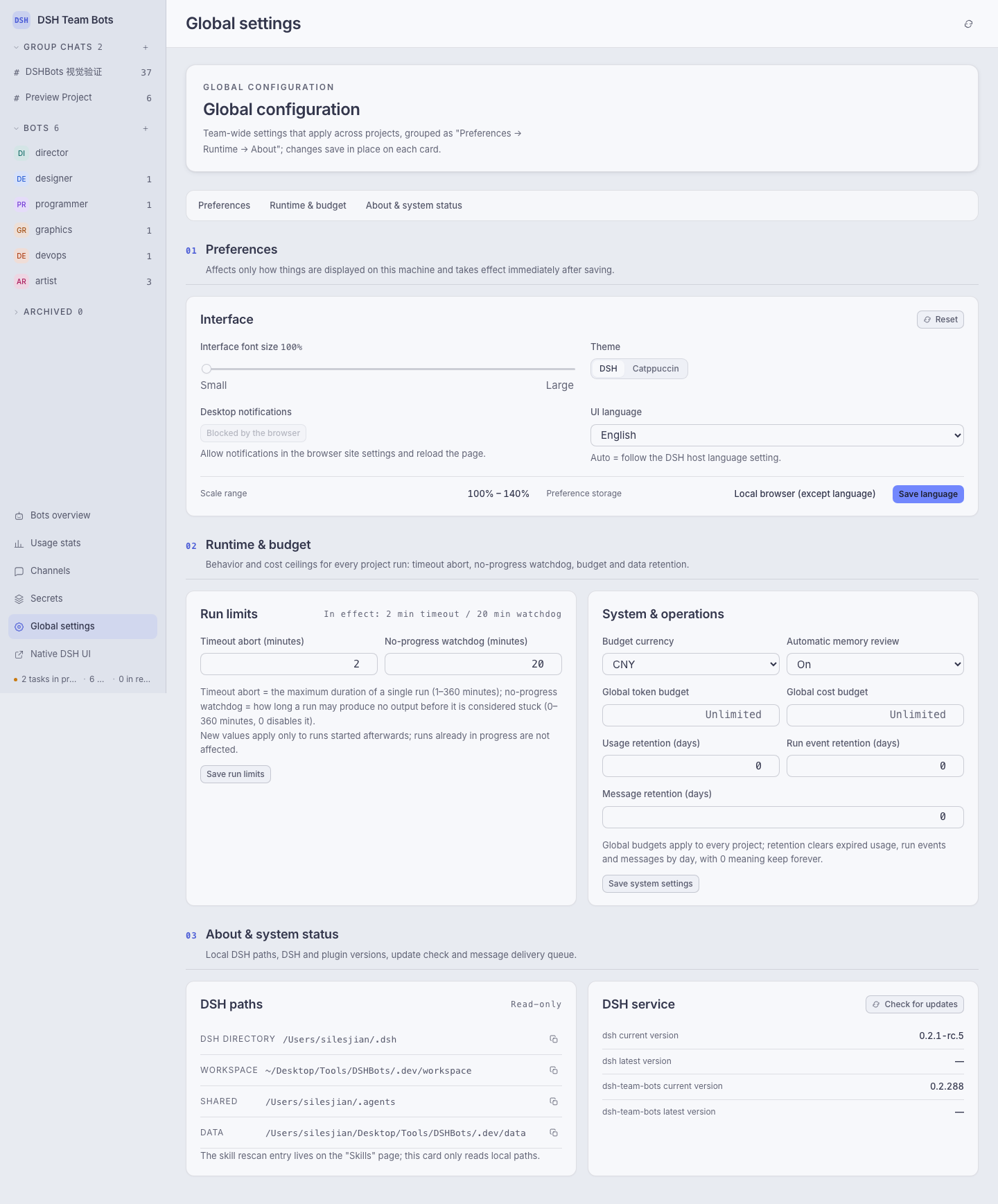
The global configuration page keeps only the core groups; channels, secrets, version status and pricing rules live on their own top-level pages:
License
Apache-2.0, see LICENSE and NOTICE.
No comments yet. Be the first to write one.