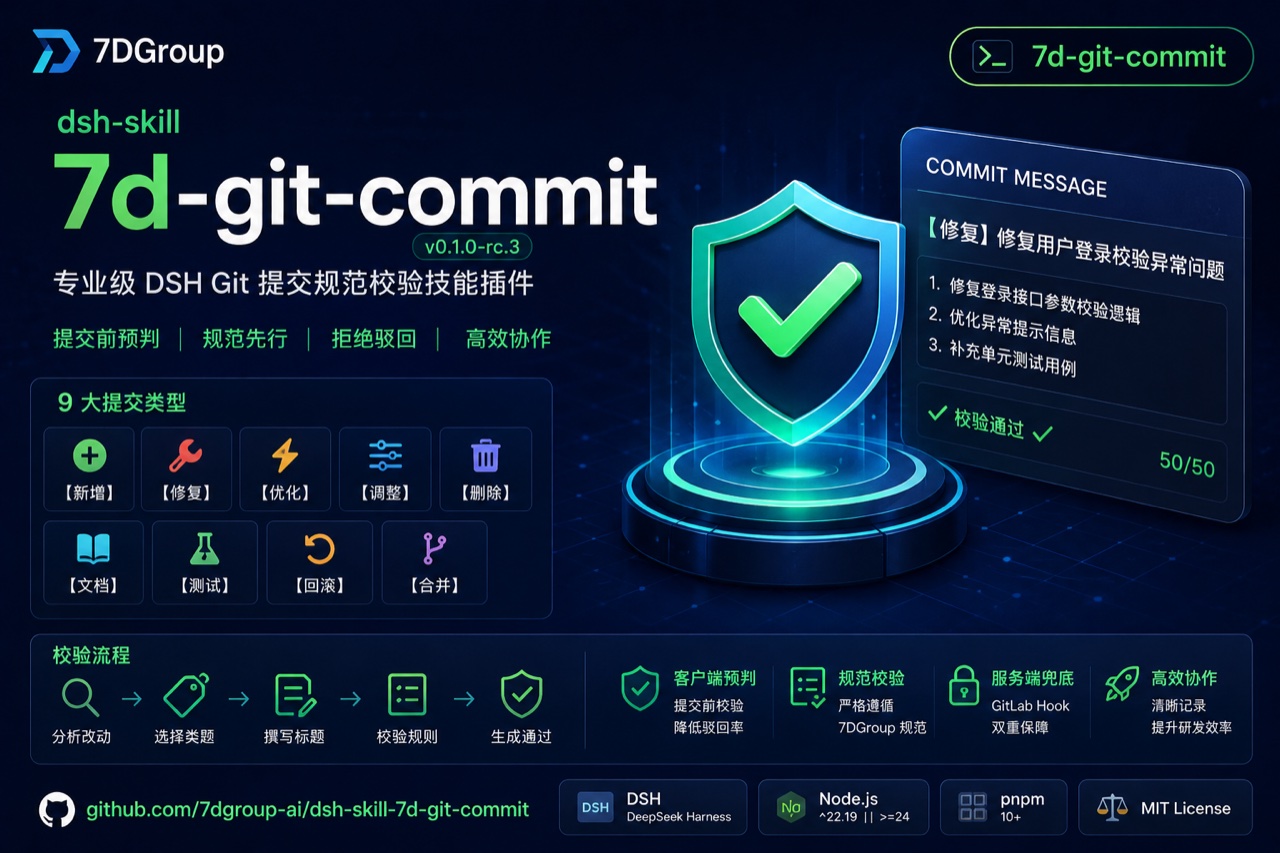
@7dgroup/dsh-skill-7d-git-commit



English | 中文
@7dgroup/dsh-skill-7d-git-commit
Author: 7DGroup
A DSH (DeepSeek Harness) bundle plugin that registers the 7d-git-commit skill on ctx.skills. Before generating any git commit message, the skill validates it against the 7DGroup commit convention and warns or guides the user to fix violations — a client-side guard that complements the server-side pre-receive hook on gitlab.
The bundled skill is a drop-in composition layer: install the bundle into a DSH profile and the skill becomes available in every session using that profile; remove the bundle to uninstall it cleanly.
Project Info
| Field | Value |
|---|---|
| Author | 7DGroup |
| Version | 0.1.0-rc.3 |
| Runtime | Node `^22.19.0 |
| Peer dependencies | @deepseek-ai/cordis · @deepseek-ai/dsh-skill · @deepseek-ai/dsh-invariants |
| Skill name | 7d-git-commit |
| GitLab compatibility | GitLab CE 19.2.0 (server-side hooks) |
| Repository | github.com/7dgroup-ai/dsh-skill-7d-git-commit |
| License | MIT |
Features
- Client-side commit validation before
git commitis executed. - 9 fixed Chinese type tags such as
【新增】,【修复】,【优化】,【文档】, etc. - Title length, punctuation, forbidden characters/phrases, and wording rules from the 7DGroup convention.
- Body formatting rules: numbered lists, max 70 chars per line.
- Exemptions for merge commits and emergency
[skip-check]deployments. - Bundled reference
references/git-commit-message.mdacts as the source of truth and is loaded on demand. - Zero core changes — pure composition bundle.
Project Structure
dsh-skill-7d-git-commit/
├── src/
│   ├── index.ts              # Cordis plugin: registers the skill provider
│   └── invariant.ts          # Package-owned invariant companion
├── assets/7d-git-commit/
│   ├── SKILL.md              # Skill body (validation logic)
│   └── references/
│       └── git-commit-message.md   # 7DGroup commit convention reference
├── assets/images/
│   └── 7d-git-commit-cover.jpg     # README cover image
├── tests/
│   └── skill-7d-git-commit.spec.ts
├── cordis.patch.yml          # Composition layer patch
├── tsdown.config.ts          # Self-contained transpile config
├── package.json
└── README.md / README.zh.md
Quick Start
Prerequisites: dsh CLI, Node ^22.19.0 || >=24.0.0, pnpm 10+.
Install via dsh CLI
dsh plugin --profile web add github:7dgroup-ai/dsh-skill-7d-git-commit
For the first git install, pnpm will refuse to run the build script until you add the exact package key to the profile's pnpm-workspace.yaml under allowBuilds. Then re-run the same command.
To avoid the build authorization, use a pre-built tarball or the published npm package:
dsh plugin --profile web add @7dgroup/dsh-skill-7d-git-commit
Install from within a dsh session (recommended)
The most direct way — just ask the agent in any dsh conversation, and it runs the install for you. Use the GitHub spec — the npm name @7dgroup/dsh-skill-7d-git-commit only works after the package is published:
安装插件 github:7dgroup-ai/dsh-skill-7d-git-commit
(Or in English: "Install the plugin github:7dgroup-ai/dsh-skill-7d-git-commit" — the agent executes the equivalent dsh plugin command through its session shell.)
For a git install the agent will hit the same pnpm allowBuilds gate and print the exact key to add to the profile's pnpm settings file (~/.dsh/profiles/<name>/pnpm-workspace.yaml); after you add it, ask the agent to retry and the skill is enabled.
Build and Test
pnpm install
pnpm build   # tsdown; also runs as `prepare` on git installs
pnpm test    # vitest
Usage
Once installed, mention any commit-related request in a dsh session:
Generate a commit message for the current changes.
You can also trigger the skill explicitly with the slash command:
/7d-git-commit
Example triggers:
- Generate a commit message for the current changes.
- Write a commit message for these changes.
- Check whether my commit message follows the 7DGroup convention.
- Fix the commit message so it passes the validation rules.
The skill will:
- Analyze the changes.
- Choose the best matching type tag from the 9 allowed categories.
- Compose a subject line (
【类型】动作 + 对象) ≤ 50 chars without trailing punctuation. - Add a numbered body for complex changes, each line ≤ 70 chars.
- Run the validation checklist and reject or fix violations.
Commit Convention
See assets/7d-git-commit/references/git-commit-message.md for the full 7DGroup rules.
High-level requirements:
- Title format:
【类型】简短描述 - Title length: ≤ 50 characters after the tag
- No trailing
。,,,.,, - Forbidden characters in title/body:
@ # $ % ^ & * ~ - Forbidden phrases: temporary notes, TODO, FIXME, emotional language
- Body lines ≤ 70 chars, numbered list only
GitLab Integration
The plugin provides both a client-side DSH skill and a server-side GitLab hook. Use them together for "client pre-check + server enforcement".
Compatibility: The server-side integration is adapted for and verified on GitLab CE 19.2.0 (custom hooks + rule configuration).
- Client:
assets/7d-git-commit/SKILL.mdvalidates commit messages beforegit commit. - Server:
docs/gitlab-integration/pre-receivevalidates pushes before they reach GitLab. - Rule source:
assets/7d-git-commit/references/git-commit-message.mdshared by both sides.
Integration overview
Why validate commit messages
The first thing you do when receiving a new code drop is read the git log. A messy log that does not tell you what each commit actually did makes reviews and maintenance painful. Well-formed commit messages (a changelog) help others review the code, produce Release Notes efficiently, and matter greatly for version management. That is why we use GitLab server-side hooks to validate the git change log and block non-conforming commits.
Design: enforce at the pre-receive stage
GitLab runs three server-side hooks after a push (the flow the server performs):
| Hook | Stage | Role |
|---|---|---|
pre-receive |
before push is applied | runs as soon as the push reaches the GitLab server — the interception point |
update |
during push | commits the update into the GitLab repository |
post-receive |
after push | runs after the push succeeds — used for notifications |
Flow:
flowchart LR
    A[user push] --> B{pre-receive<br>intercept before apply}
    B -- "non-zero" --> C[push rejected<br>non-conforming commit]
    B -- 0 --> D[update<br>apply to repository]
    D --> E[post-receive<br>notify]
Validating at the pre-receive stage: if a commit message does not conform, the hook exits with a non-zero code and the push never lands in the GitLab repository.
How it works
pre-receive reads the pushed refs from stdin as oldrev newrev refname (old commit id, new commit id, branch name), then uses git log to extract the author, date, and subject. A regex checks that the subject starts with an allowed prefix (the referenced article's example: fix|add|del|update|temp|test|revert|Merge); on mismatch it prints an error and exit 1 rejects the push.
Manual deployment (per the referenced article)
- Locate the repository path: GitLab switched to hashed storage, so get the on-disk path via an admin account, e.g.
/srv/gitlab/data/git-data/repositories/@hashed/78/5f/785f3ec7...git. - Create
custom_hooks: inside the repository directory, create acustom_hooksfolder with apre-receivefile (a shell script). - Make it executable:
chmod +x pre-receive. - Verify with a local push: non-conforming commits fail to push; conforming ones go through.
The
docs/gitlab-integration/directory in this repo is the productionized version of that approach: it iterates over every ref on stdin (not just the first line), supports warn/reject modes, externalizes rules intocommit-rules.conf, and adds audit logging plus DingTalk reports — deployable withinstall-hooks.shas shown below.
Pitfalls
GitLab versions bundle different git versions, and the same command can produce different output across them. For example, git log --no-merges --date-order -1 output differs between git versions — do not rely on unverified command output in hooks.
Reference article: GitLab 服务端 hook 拦截提交到仓库
Deploy server-side hooks
Copy docs/gitlab-integration/ to the GitLab server, then run:
# single-repo pilot
sudo bash install-hooks.sh --pilot devops/7dgroup

# after pilot passes
sudo bash install-hooks.sh --global
Rule synchronization
After updating docs/gitlab-integration/commit-rules.conf in this repo:
sudo bash scripts/sync-rules.sh --global --dry-run
sudo bash scripts/sync-rules.sh --global
Observation and reporting
# daily summary
sudo bash scripts/audit-report.sh --markdown

# send to DingTalk
export DINGTALK_WEBHOOK="https://oapi.dingtalk.com/robot/send?access_token=xxx"
sudo -E bash scripts/dingtalk-notify.sh
Switch to hard reject
- Complete
docs/gitlab-integration/switch-to-reject-checklist.md. - Change
MODE="reject"in the deployedcommit-rules.conf. - Take effect immediately on the next push.
For the full deployment SOP, see docs/gitlab-integration/deployment-guide.md.
Notes
- The provider contributes a single fixed skill and offers no runtime customization.
preparedoes not emit type declarations; the dsh loader only needs the runtime entry.- The build only transpiles; type errors are visible in your editor but not checked during build.
- The
docs/gitlab-integration/files are not part of the DSH runtime bundle; copy them to the GitLab server on demand.
License
MIT · Copyright (c) 2026 7DGroup
No comments yet. Be the first to write one.