dsh-pet-gujiguji
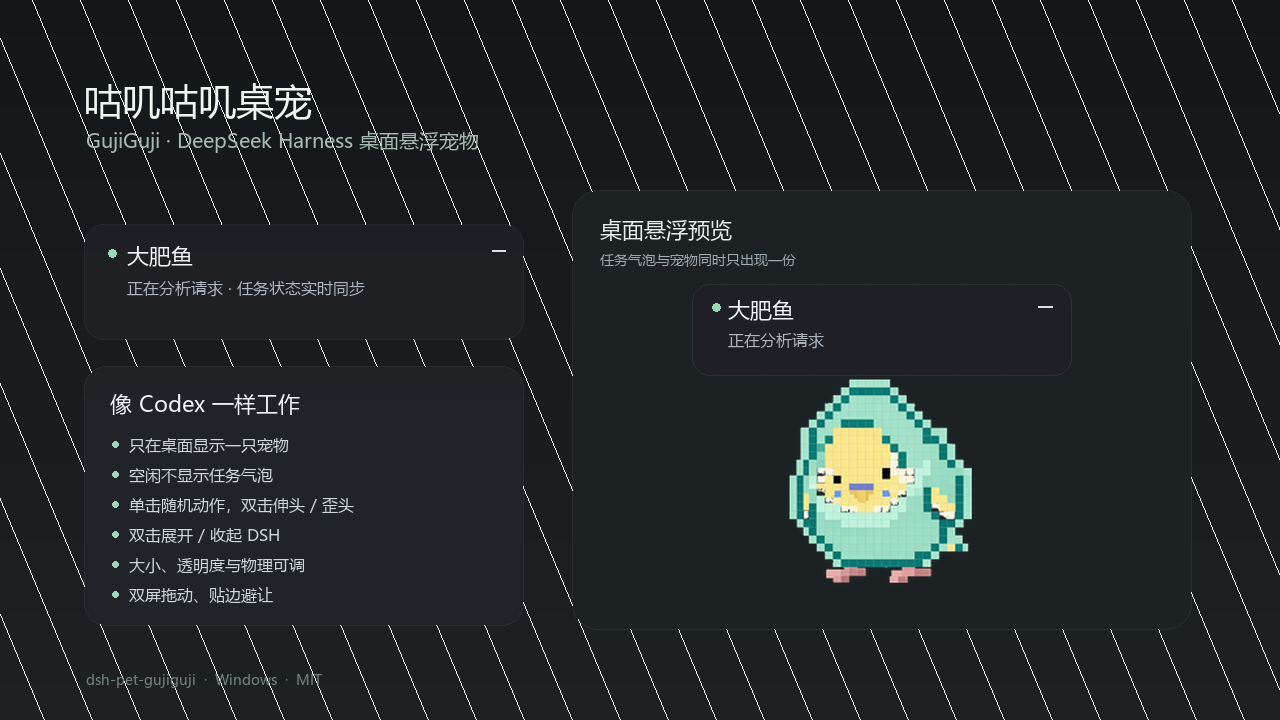
GujiGuji is a desktop-only pet for DeepSeek Harness (dsh). It floats above other windows, shows the current project and activity only while the agent is working, and does not render a second pet inside the dsh window.
English | 简体中文
Features
- Drag the pet across every monitor on the Windows virtual desktop.
- Release a drag to let the pet fall naturally. A quick flick throws it with bounded velocity, gravity, wall bounce, floor friction and a short bottom-anchored landing squash.
- Dragging past the click threshold immediately switches the pet into a visible takeoff cycle. A released pet keeps that cycle while airborne, spreads its wings near the floor, then restores the current task or idle pose after landing.
- The task bubble temporarily hides while the pet is airborne, then returns after the pet settles.
- While idle, the pet plays a random gesture every 30–75 seconds using a randomized delay and avoids repeating the same gesture consecutively; the interval can be adjusted from 15–150 seconds.
- Single-click plays one random gesture: head tilt, head stretch, spread wings or side-wing wave. Every gesture starts and ends in the standing pose.
- Double-click toggles the dsh window, then plays a randomized head tilt or head stretch so the interaction still has visible feedback.
- After a dsh turn completes successfully, the pet performs two light hops; failures, interruptions, and token-limit endings do not trigger it.
- Gesture frames normalize the apparent head scale while allowing each pose to keep its own position and perspective.
- Both the pet and task bubble detect per-monitor work areas, shift away from screen edges and never straddle a dual-monitor boundary.
- Edge clearance follows the active pose instead of reserving the widest wing span while standing; wide gestures move inward only while they need it.
- Double-click opens or hides the dsh window. If an active task bubble is minimized, the same double-click restores it.
- Right-click for settings or to hide the pet.
- Settings support size, opacity, throw power, idle interval, position lock and reduced motion, with synchronized sliders and numeric input.
- The behaviour page can restore the default bottom-right position.
- The Codex-style task bubble stays fixed at 284x65 and scrolls long activity text horizontally. Idle shows no bubble and no "idle" label.
- Every sprite frame is aligned to one shared foot line, so the pet rests directly on the work-area floor without clipping low frames.
- Wing gestures use the complete supplied source drawing. The generator never cuts out or rotates individual wings, so faces and torsos stay intact.
Development plan
The physical drag/throw roadmap, status interactions and size-reduction plan are documented in docs/DEVELOPMENT-PLAN.zh.md (Chinese).
Status mapping
| Source signal | Pet row | Label |
|---|---|---|
any agent is running or the session has an open turn |
running |
Running |
approval/request open |
waiting |
Waiting |
agent/error within 4 s |
failed |
Failed |
| otherwise | idle |
no bubble |
Agent.status itself is only idle | running; the waiting and failed rows come
from the two transient Host events above.
Architecture
The dsh Host writes desktop/state.json; desktop/pet-window.pyw polls it and
renders the desktop window with tkinter + Pillow. The Host may start the pet,
but the pet process survives a Host restart. desktop/setup-startup.ps1 can
also install a login shortcut that launches the pet independently.
The process uses a per-monitor DPI-aware context so mixed-scale monitors keep
consistent sprite and window coordinates. The pet seeds the user's AppData
settings from desktop/default-settings.json; the right-click settings panel
writes to the per-user copy so plugin upgrades do not overwrite preferences.
The launcher prefers the newest packaged desktop/dsh-pet-gujiguji-<version>.exe,
so Windows users do not need Python and upgrades can coexist with a currently
running pet. If no executable is available, Pillow and tkinter are required and
Python is resolved from DSH_PET_PYTHON, then pyw.exe, pythonw.exe, py.exe,
and python.exe on PATH.
Install
From the DSH plugin market, search for dsh-pet-gujiguji and install it, then
restart dsh. Or install the public npm package:
dsh plugin --profile desktop add dsh-pet-gujiguji
Python dependencies:
py -m pip install Pillow
Windows is currently the only supported platform.
When upgrading from an earlier release, the pet automatically migrates its
position and settings from dsh-light-feather or dsh-mint-budgie.
Files
index.js- Host state polling, persistence and desktop-process bridgeclient.js- compatibility shim; intentionally registers no in-window petdesktop/pet-window.pyw- standalone desktop overlaydesktop/pet_physics.py- dependency-free drag, throw, collision and landing physicsassets/spritesheet.png- working/status sheet read by the desktop overlayassets/poses/head-tilt_<frame>.png- aligned click gesture frames
Disabling
Remove dsh-pet-gujiguji from dsh.profile.bundles in the active profile's
package.json, then restart dsh.
No comments yet. Be the first to write one.