READMESource: main@36367afc
dsh-preview-snip
Circle a region of an image/PDF preview, or quote selected text, and put it into the DSH composer.
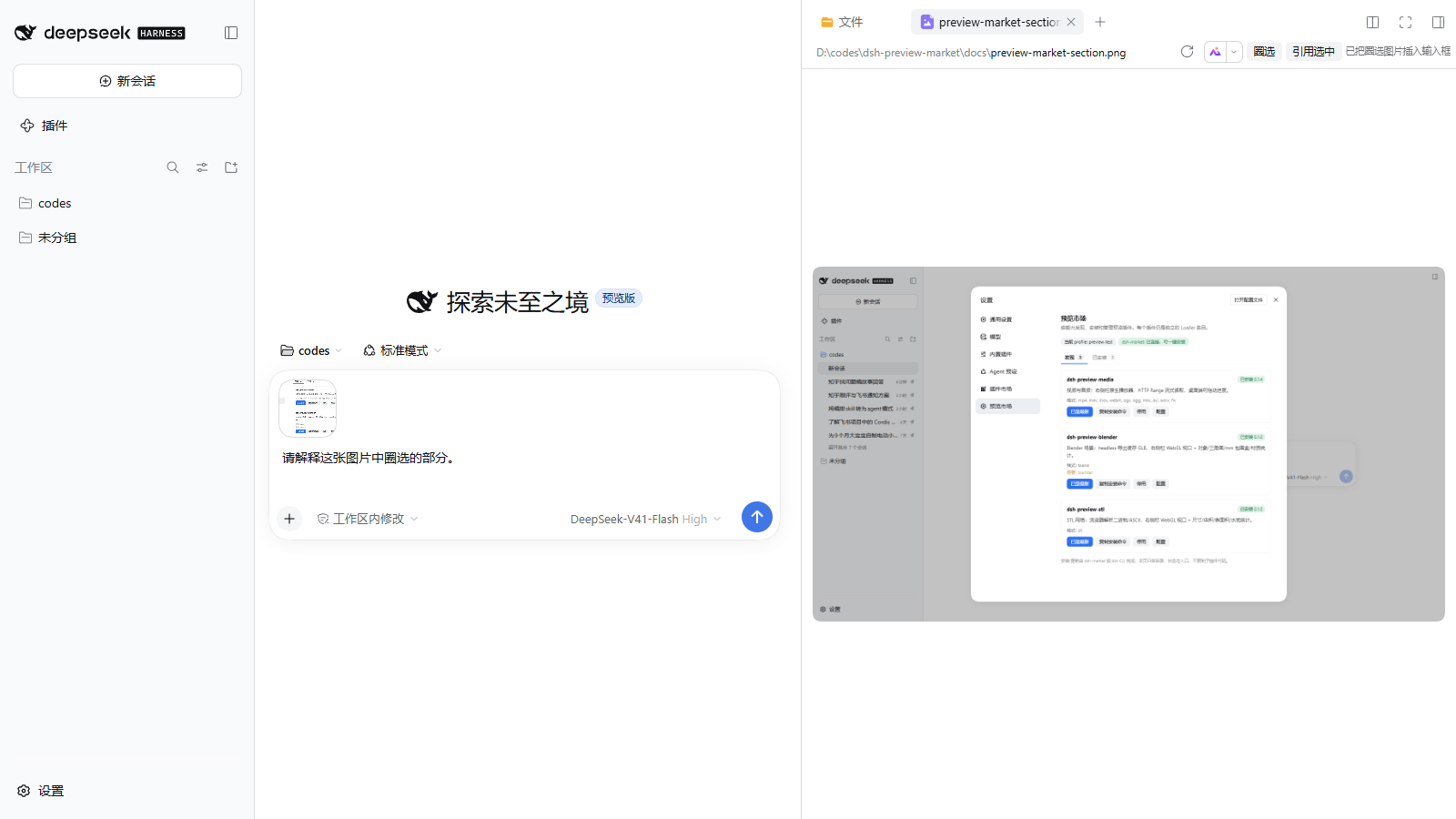
What it does
The plugin adds two actions to the right-Sidebar document-preview header:
- 圈选 / Snip — for images and PDF canvases; drag a rectangle over the visible preview, and the selected pixels become a PNG attachment in the composer, with a short default question.
- 引用选中 / Quote selection — quote the current text selection into the composer as a Markdown blockquote.
Nothing is sent automatically: the attachment and text land in the composer, and you finish the question and press send.
Install
dsh plugin --profile <profile> add dsh-preview-snip
Then open an image or PDF in the right Sidebar. The buttons appear in the preview header.
How it works
- Uses the
sidebar.right.tab.document.actionsslot; no Host routes and no external screenshot library. - For images it maps the selection through
object-fit: contain; for PDFs it uses the rendered page canvas. - Creates the PNG in the browser and hands it to
conversation.createDrafts/inputActions.addAttachments, the same draft attachment path as a pasted image. - Quoting uses the browser's text selection and
inputActions.setDraft.
Limits
- Pixel snip supports DOM
<img>and<canvas>previews. WebGL/3D previews and video frames are not captured yet. - Quoting works on any preview whose text is selectable, including PDF text layers.
- The capture is a client-side canvas crop; cross-origin images that taint the canvas will fail with a notice.
Compatibility
- DSH
0.2.0-rc.2(and0.2.1-rc.2). - Client-only plugin; no Host configuration.
No comments yet. Be the first to write one.