dsh-verify
中文 | English
Witness — The browser is the judge. The quality gate for agent-built web apps. Agents say done; the browser proves it. (Witness is the product name;
dsh-verifyis the package name — same thing.)





If Witness catches something for you, ⭐ star the repo — it's how this project stays alive.
You asked an AI to build a web app. It said "done." Does it actually work?
dsh-verify opens a real browser and checks — so you never have to take the agent's word for it.
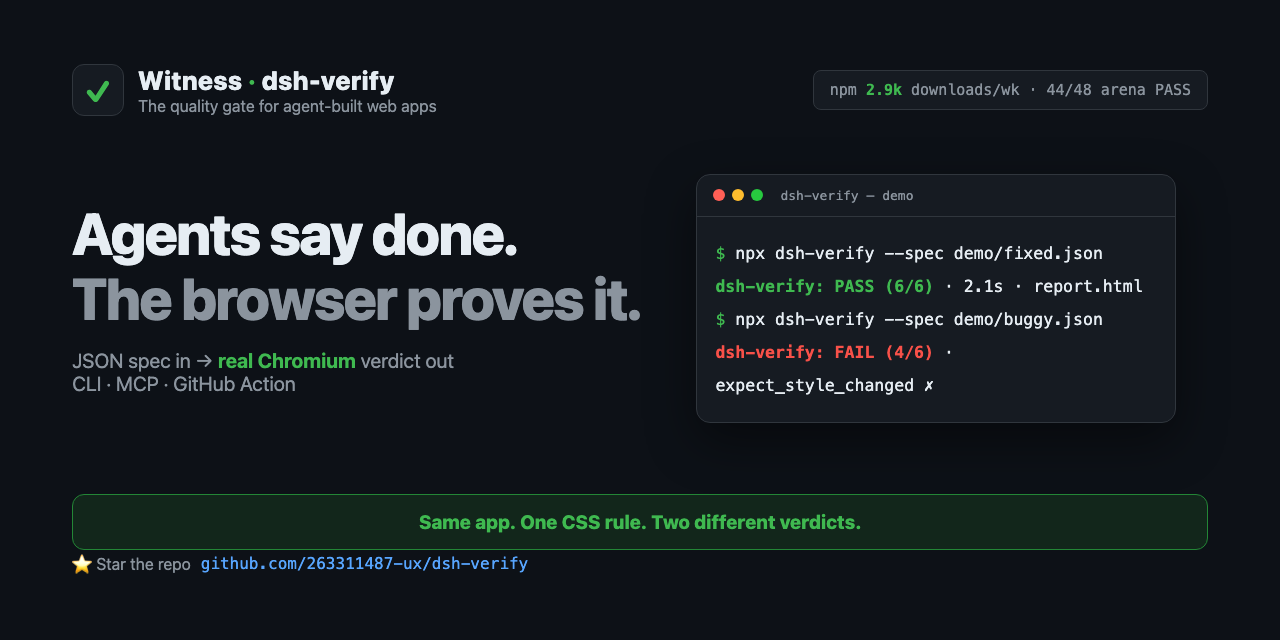
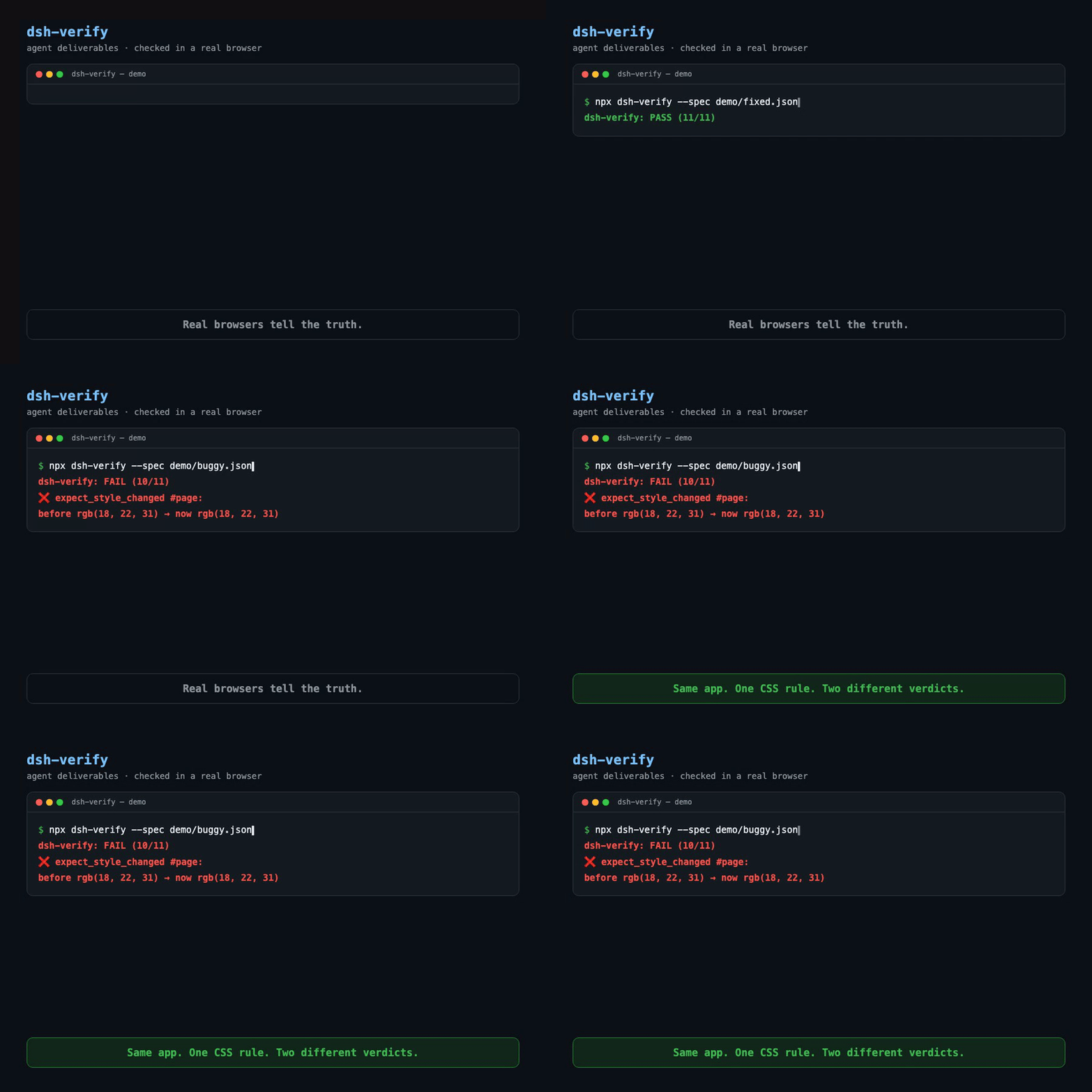
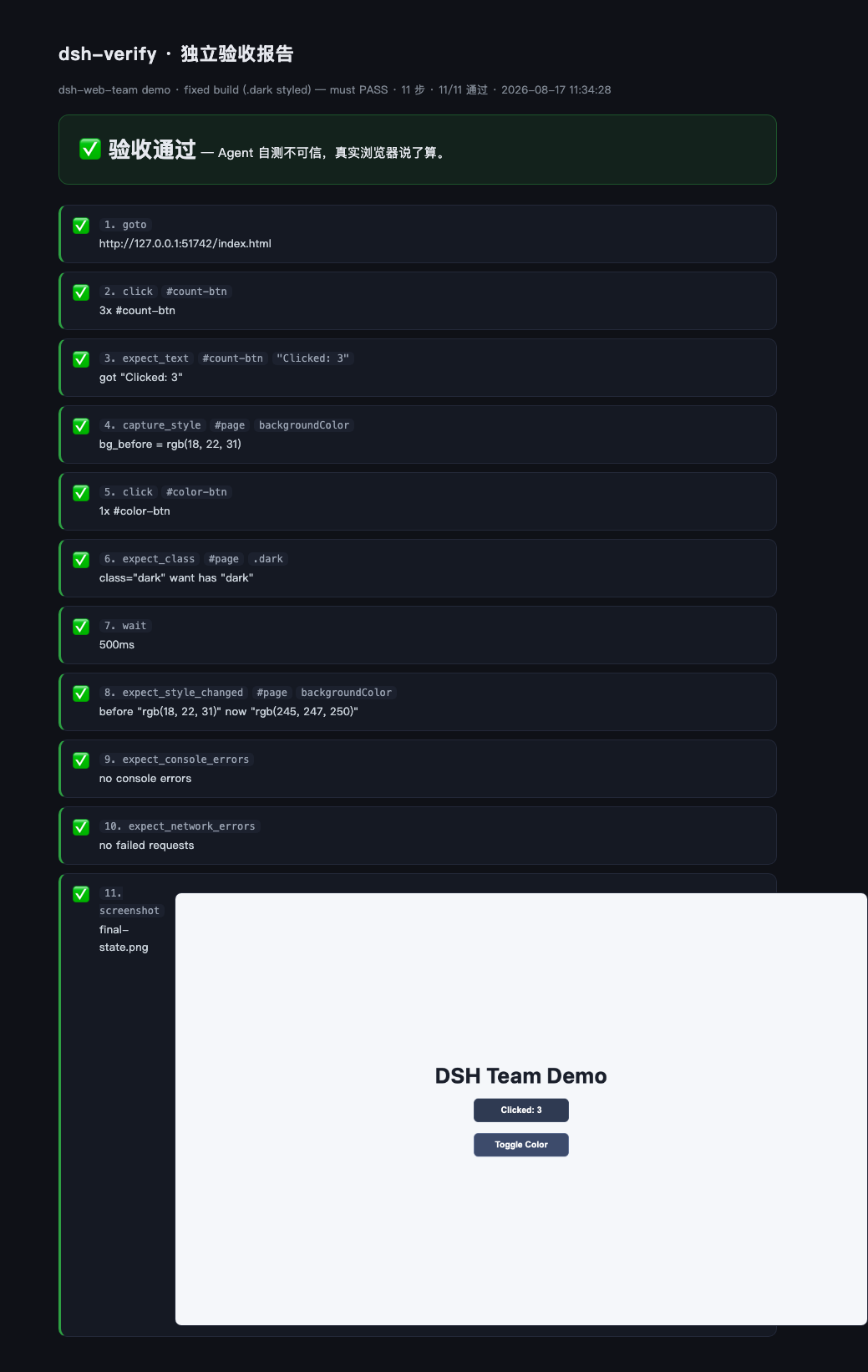
The quality gate for agent-built web apps. Works with any agent — DeepSeek Harness (dsh), Claude Code, Cursor, Copilot, Codex — and with any CI. You write what a human would check in a browser; a real browser executes it and returns a PASS/FAIL verdict with receipts (screenshots + diff images).
No LLM judges the outcome. The browser is the judge.
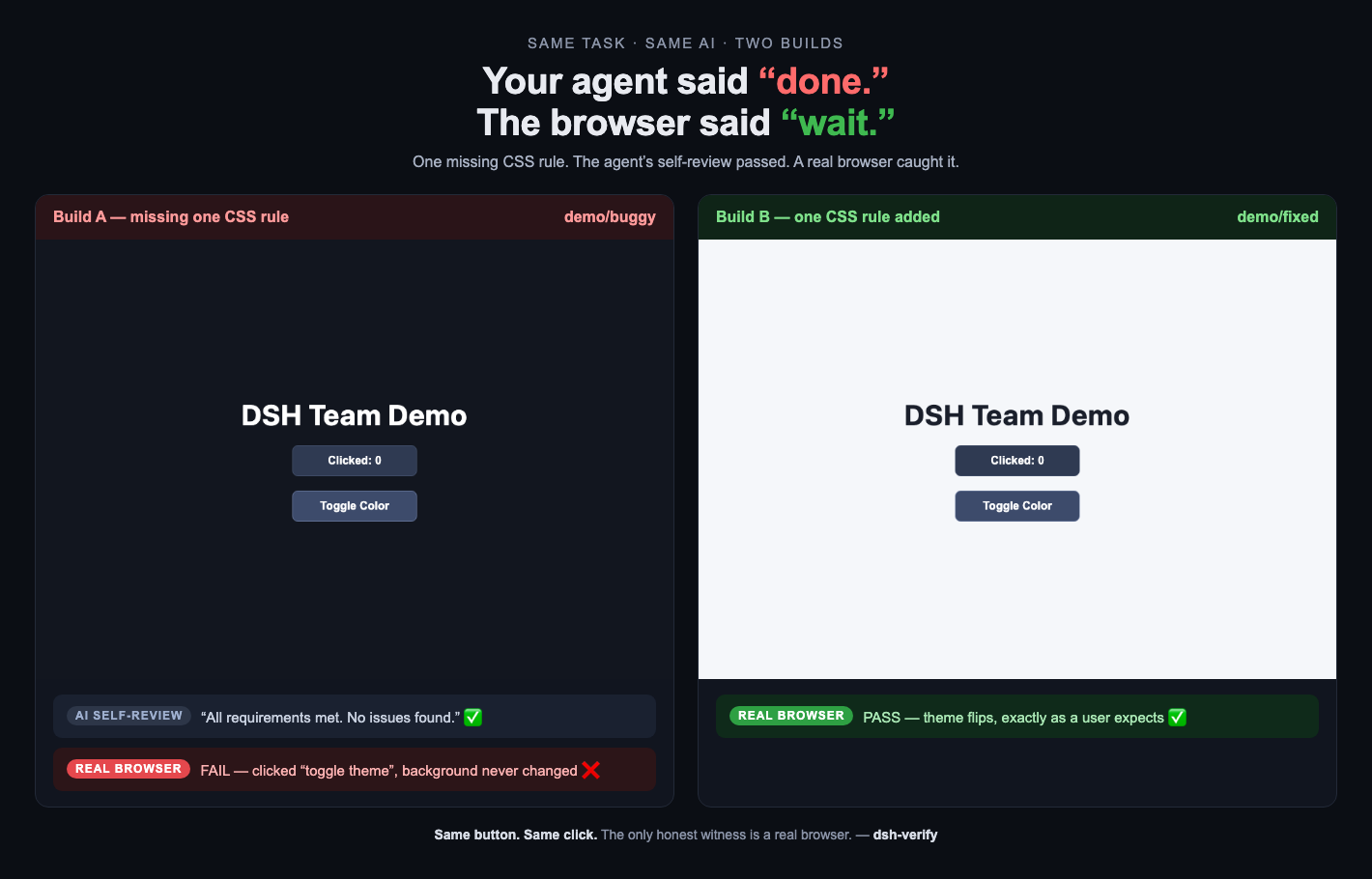
Same task. Same AI. Two builds. One missing CSS rule — the agent's self-review passed, a real browser caught it.
Why this exists
We ran a 4-agent web team (spec writer → frontend dev → QA → reviewer). Their own review said:
✅ "All requirements met. No issues found."
In a real browser, the dark-mode toggle did nothing — the .dark class was toggled, but the CSS rule was never written. Every agent self-test passed because there was nothing in the page for the agents to run. No one opened a real browser.
That's the gap: agents verify against what they believe they built, not against what a user actually experiences. Unit tests and static checks can't catch a missing CSS rule.
| Build | What the agents said | What a real browser says |
|---|---|---|
demo/buggy |
"No issues found" | ❌ FAIL — background never changes |
demo/fixed |
one CSS rule added | ✅ PASS — theme flips |
Same page. Same JS. One missing CSS rule. Two different verdicts.
Why not just ...?
| What you might reach for | Its blind spot | What dsh-verify adds |
|---|---|---|
| Hand-rolled Playwright scripts | Every agent project re-writes the same boilerplate; nothing is reviewable as a spec | A JSON spec is the whole contract — write once, reuse across agents and CI |
| LLM judges (promptfoo-style evals) | An LLM says "looks right" — it doesn't run the app or see the pixels | A real browser executes clicks, inputs, styles, and returns screenshot receipts |
| Agent built-in browser tools | They're the agent's hands — they share the same blind spots as the code they just wrote | dsh-verify is an independent witness, not part of the agent being tested |
| Screenshot-only visual tools | They catch pixel drift, not "button does nothing" | Behavior checks: click, expect text/class/style change, console errors, network errors |
The agent graded its own homework. dsh-verify re-grades it in a real browser.
Use it three ways
| Entry point | What it's for | One-liner |
|---|---|---|
| MCP server | Your AI agent verifies its own deliverable, mid-session | claude mcp add dsh-verify -- npx -y -p dsh-verify dsh-verify-mcp |
| CLI | You or your CI verify a build/URL | npx dsh-verify --spec demo/fixed.json |
| GitHub Action | Every push runs real-browser checks | uses: 263311487-ux/dsh-verify/.github/actions/dsh-verify@main |
From any AI agent (MCP)
claude mcp add dsh-verify -- npx -y -p dsh-verify dsh-verify-mcp
Then tell your agent, in plain words:
Verify http://localhost:3000 — click
#dark-toggle, then checkbodybackground-color changed. Screenshot it.
Tools exposed: verify_spec (run a spec JSON), verify_url (inline checks, no files), generate_and_verify (the AI drafts the checklist, real Chromium executes it), health.
In CI (GitHub Action)
- uses: 263311487-ux/dsh-verify/.github/actions/dsh-verify@main
  with:
    spec: demo/fixed.json       # spec file or glob
    # url: https://staging.example.com   # optional override
    # out: dsh-verify-out               # report output dir (default)
The repo dogfoods it: the dogfood workflow asserts the fixed build passes and the buggy build fails on every push.
On the command line
npm install -g dsh-verify          # or: npx dsh-verify
npx playwright install chromium    # one-time browser download
npx dsh-verify --spec 'specs/*.json'
# [PASS] specs/home.json (5/5)
# [FAIL] specs/cart.json (4/5)
#   ❌ expect_text #total: got "0" want "99"
What's in the box
- Deterministic judge — a real headless Chromium (or Firefox / WebKit) executes human-style checks: click, fill, text, classes, computed styles, URLs, console errors, network errors, pixels.
- Receipts, not vibes — every run emits a self-contained HTML report with screenshots and red-highlighted diff images;
--jsonfor machines; exit0/1for CI. - Visual regression — screenshot baselines, pixel-diff with thresholds (
expect_screenshot), refresh with--update-baselines. - AI-drafted checklists —
dsh-verify gen --url ... --prompt "..."learns the page in a real browser, has an LLM draft the checklist, then executes it deterministically. The AI drafts; it never judges. - Multi-browser —
chromium|firefox|webkitper spec or--browser. - Zero framework lock-in — a JSON spec is all there is. No config language, no SDK, no vendor.
Example spec
{
  "title": "my app",
  "serve": "dist",
  "browser": "chromium",
  "steps": [
    { "action": "goto", "path": "/index.html" },
    { "action": "click", "selector": "#count-btn", "count": 3 },
    { "action": "expect_text", "selector": "#count-btn", "text": "Clicked: 3" },
    { "action": "capture_style", "selector": "#page", "prop": "backgroundColor", "var": "bg_before" },
    { "action": "click", "selector": "#color-btn" },
    { "action": "expect_class", "selector": "#page", "class": "dark", "present": true },
    { "action": "expect_style_changed", "selector": "#page", "prop": "backgroundColor", "var": "bg_before" },
    { "action": "screenshot", "name": "final-state" }
  ]
}
Top-level fields: title, serve (static dir) or base (target URL), browser, steps. Run many at once with a glob; exit is 0 only if all pass.
The report
A self-contained HTML report — every step with a pass/fail badge, selector, and detail, plus screenshots:
Agent Arena — bring your agent
Real-browser benchmark for agent-built web apps: same 3 tasks, same human checks, open entry. Run your model on the board in ~10 minutes:
git clone https://github.com/263311487-ux/dsh-verify && cd dsh-verify
npm install && npx playwright install chromium
export LLM_API_KEY=sk-...          # any OpenAI-compatible model
node arena/run.mjs --agent "gpt-5/single" --task all --repeat 1 --submitter yourname
Your setup appears on the live leaderboard next to DeepSeek v4-flash / v4-pro: agent-arena. Full rules in docs/ARENA.md.
Prove it (run it yourself)
git clone https://github.com/263311487-ux/dsh-verify && cd dsh-verify
npm install && npx playwright install chromium
npm run demo:fixed    # → PASS (11/11)
npm run demo:buggy    # → FAIL (exit 1) — the missing .dark rule, caught
npm test              # engine self-tests
The repo's own CI runs exactly that — engine self-tests, then asserts fixed passes and buggy fails — so the tool verifies itself on every push.
Agent Arena — can agents ship working web apps?
Same task, same prompt, same human checks — different agents, graded by dsh-verify in a real browser. Latest run (2026-08-19): 44/48 runs passed across 2 models × 2 strategies × 3 tasks, 4 runs per cell. Two counterintuitive findings: the pricier v4-pro single-shot scored below the cheaper v4-flash single-shot (10/12 vs 11/12), and a real-browser self-check loop lifted v4-pro to 12/12 — while v4-flash's self-check crashed once when its own verification report came back as corrupt JSON. Every failure is reproducible and invisible to an LLM judge.

See docs/ARENA.md — methodology, the tasks, and how to run your own agent.
Badge your agent-built app
Built something with an AI agent? Prove it in a real browser and show the world:
[](https://github.com/263311487-ux/dsh-verify)
Add a spec, wire the GitHub Action, and the badge is earned, not claimed. See docs/verified-badge.md.
Roadmap
- MCP server · AI-drafted checklists · visual regression · multi-browser · GitHub Action · dsh plugin
- Agent arena — a public benchmark: give the same task to different agent setups, grade them in real browsers, publish the leaderboard
- Spec recorder (browser extension: click through once → spec generated)
- Cloud runs + shareable report links + PR comments
Related
- dsh-doublecheck — delivery quality gate for DeepSeek Harness (/gate): requirements grill + evidence discipline. Complementary pair: /gate keeps the evidence honest, dsh-verify keeps the browser honest.
- falsify — the scientific thinking protocol for AI agents (hypothesis → falsify → evidence → calibrated conclusion). The pair: falsify catches the wrong conclusion, dsh-verify catches the broken output.
- Featured in the DeepSeek Harness community — Show Your Plugins: dsh-verify (48-run Agent Arena results in-thread)
License
MIT
还没有评论,来写第一条。