READMESource: main@34a9e775



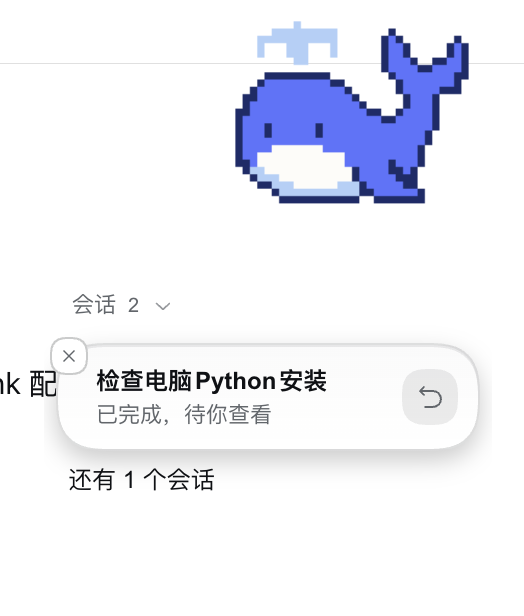
dsh-bluewhale-pet is an in-page companion plugin for DeepSeek Harness (DSH). A blue whale stays in the corner of the page while you work, so you can keep an eye on your tasks and respond to anything that needs your attention.
Features
- In-page companion: a blue whale lives in the corner of the DSH page while you work.
- Multiple tasks at a glance: see running, completed, failed, and pending tasks; when there are no notifications the pet just stays quiet.
- Act from the notification: open the associated conversation, stop its current turn, or handle approval, question, and plan requests.
- Full-screen roaming: while a task is running, the whale wanders freely around the page and swims back to its spot when the task ends (toggle and speed are configurable in settings).
- Built-in blue whale: a pixel-style blue whale ships with the plugin, ready to use out of the box. Custom pets in
~/.dsh/codex-pet/petsare shown as well. - Small interactions: drag to move, double-click to jump, and right-click for the pet menu.
Usage
Open Settings → Pets, or open settings from the pet's right-click menu.
| Goal | Action |
|---|---|
| Pick a companion | Select a pet in settings and adjust its size. |
| Move or play | Drag the pet to move it; double-click to jump. |
| Read task updates | Read the notification bubbles; expand the list when several tasks need attention. |
| Continue a conversation | Click its notification or reply control to open the corresponding DSH task. |
| Handle a request | Open the request details and answer the supported approval, question, or plan prompt. |
| Stop a task turn | Click the stop control on that running task's notification. |
| Dismiss a reminder | Click its close control. The task continues running. |
| Hide or restore the pet | Use the right-click menu or pet settings. |
Create a custom pet
- Open pet settings, click Create, and describe the companion.
- Click Create in DSH. The plugin opens a dedicated task and sends the bundled Skill instructions.
- Follow that task's progress. Creation uses DSH's configured model and image tools.
- Once the pet files are saved, refresh the pet library and select the new companion.
Creating pets requires an image-generation tool configured in DSH.
Installation
This plugin is a personal fork and is not published to npm. It is installed into a DSH profile as a link: local dependency.
Clone this repository:
git clone https://github.com/15372010668-dot/dsh-bluewhale-pet.git
cd dsh-bluewhale-pet
Add it as a
link:dependency in your DSH profile'spackage.json(example uses thewebprofile):{ "dependencies": { "dsh-bluewhale-pet": "link:/absolute/path/dsh-bluewhale-pet" }, "dsh": { "profile": { "bundles": ["...", "dsh-bluewhale-pet"] } } }Restart DSH, then open Settings → Pets.
License
Licensed under the Apache License 2.0. See NOTICE for more information.
No comments yet. Be the first to write one.