English | 中文
Whale Scientific Calculator


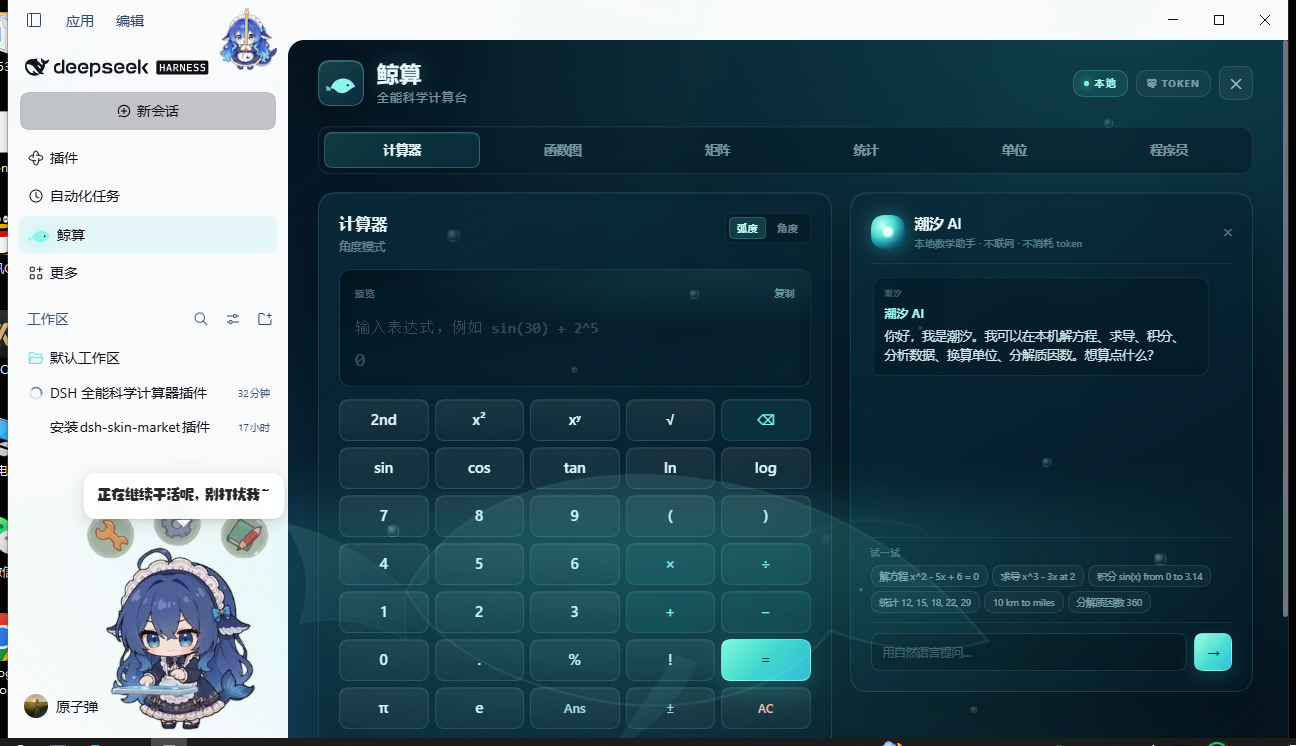
An all-in-one scientific calculator that lives in the DeepSeek Harness sidebar. It opens as a full ocean-lit panel and closes back to the conversation. Every calculation runs locally in the browser — zero tokens, zero network requests, no model calls.
Features
| Tab | What it does |
|---|---|
| Scientific | Safe recursive-descent parser (no eval), implicit multiplication, sin/cos/tan/asin/acos/atan/ln/log/sqrt/cbrt/abs/exp, factorial, postfix percent, π, e, φ, Ans, degree/radian mode, keyboard input, persistent history. |
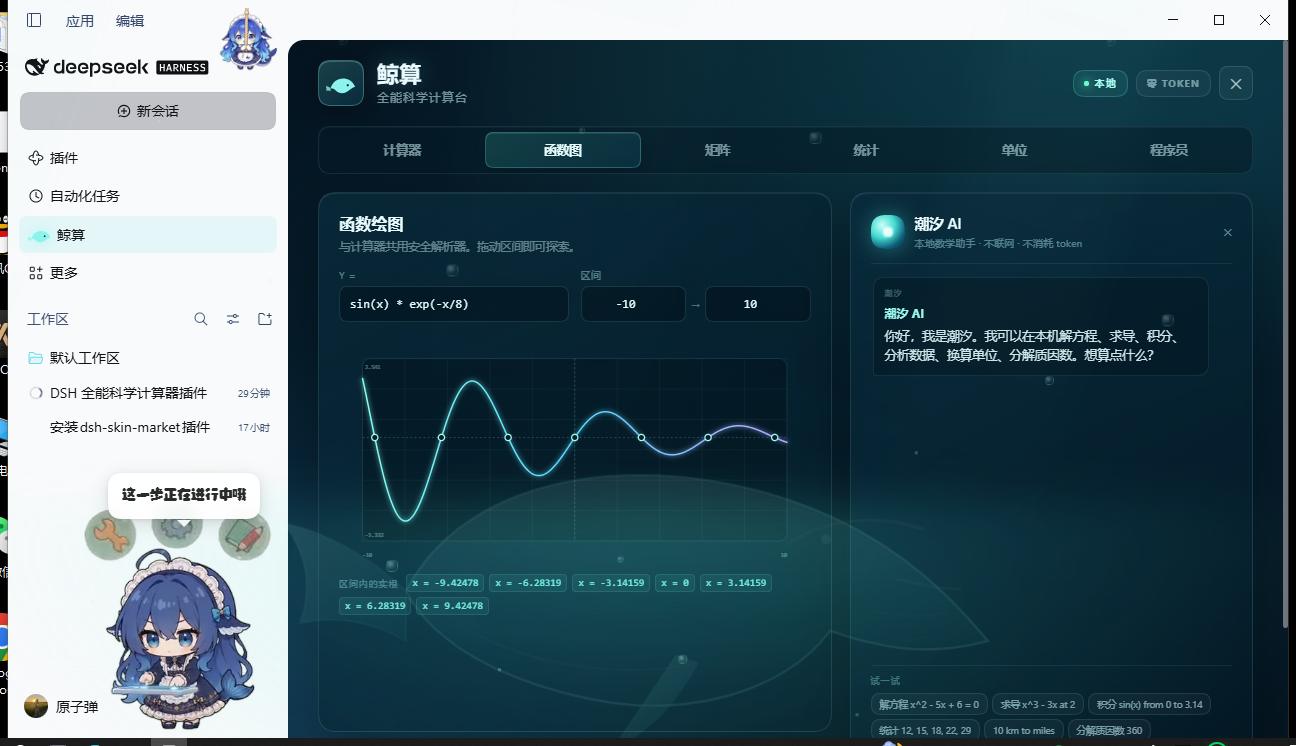
| Graph | Plot any function of x over a configurable window, with automatically located roots. |
| Matrix | Parse 1 2; 3 4, then add, multiply, transpose, invert or take a determinant. |
| Statistics | Count, sum, mean, median, mode, variance, standard deviation, quartiles, and least-squares linear regression. |
| Units | Length, mass, time, area, volume, speed, energy, power, pressure, data and temperature conversions. |
| Programmer | Hex / decimal / octal / binary views of a 64-bit two's-complement integer, bit display, bitwise operations. |
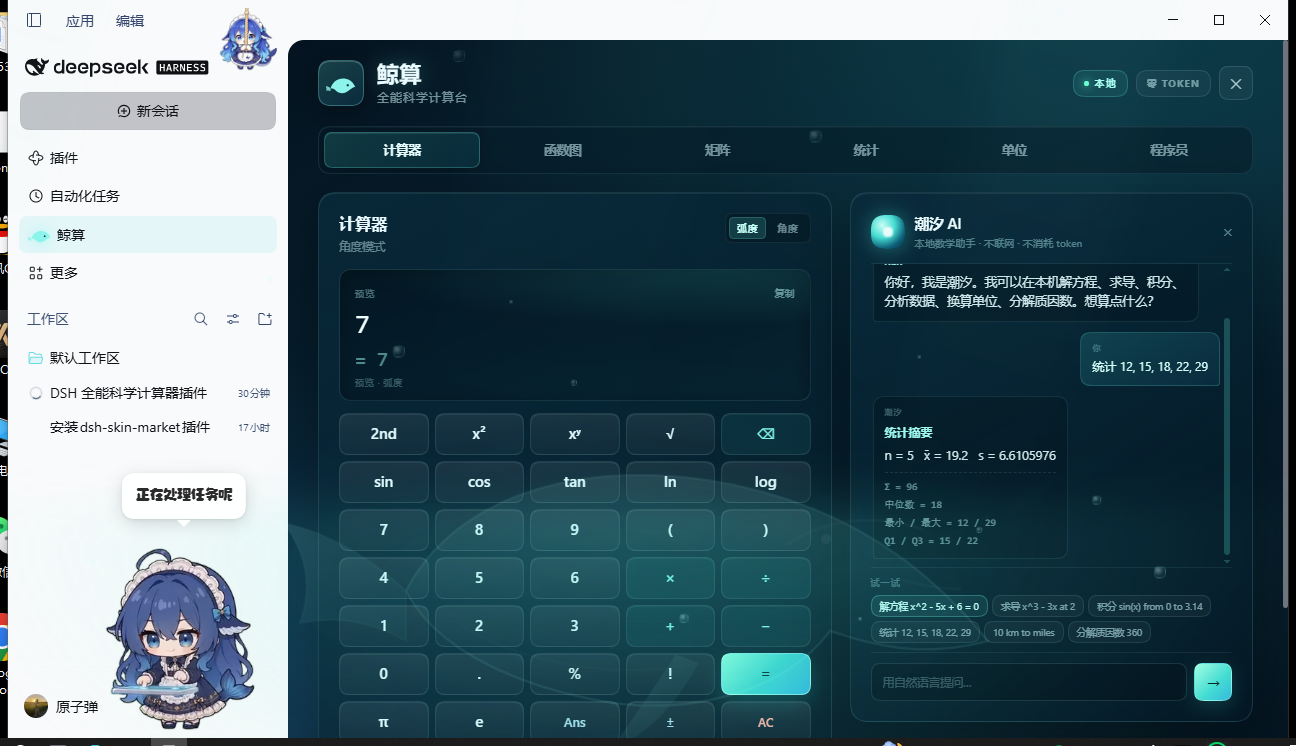
The local assistant panel understands natural-language requests and shows the answer plus its steps, entirely offline:
solve x^2 - 5x + 6 = 0
derivative x^3 - 3x at 2
integral sin(x) from 0 to 3.14
stats 12, 15, 18, 22, 29
10 km to miles
factorize 360
gcd 84, 30
fibonacci 50
0xff to binary
Chinese phrasings work too: 解方程 x^2 - 5x + 6 = 0, 求导 x^3 - 3x at 2, 积分 sin(x) from 0 to 3.14, 分解质因数 360.
The interface is a dark ocean scene with an animated whale, drifting light rays and rising bubbles. English and Chinese follow the Harness locale automatically.
| Graph | Local assistant |
|---|---|
 |
 |
Install
Recommended — install from the repository:
dsh plugin --profile web add github:130927-666/dsh-whale-calculator
Or from npm once published:
dsh plugin --profile web add dsh-whale-calculator
In the official desktop app, open Plugins → Add plugin and paste the same spec.
After installing, restart DeepSeek Harness so the client module graph is rebuilt, then click the whale icon in the left sidebar. The ✕ button, or selecting Conversation, returns to the chat.
Requirements
- DeepSeek Harness with the
sidebar.panellistandmainslots (the sidebar plugin-entry API introduced with the 0.2 series). - No host-side dependencies: the host entry is empty and everything renders in the Web client.
- Windows, macOS and Linux — the plugin is pure ES2020 JavaScript, SVG and CSS.
Development
node build.mjs        # builds client.js from src/engine.mjs + src/ui.js + src/styles.css
node test-engine.mjs  # engine regression tests
node test-client.cjs  # slot registration + stylesheet lifecycle smoke test
node test-render.cjs  # renders all six tabs with a minimal React hook harness
Source layout:
src/engine.mjs   pure math engine: parser, calculus, matrices, statistics, units, number theory, assistant
src/ui.js        React components, locale dictionaries, slot registrations
src/styles.css   ocean / glassmorphism styling
build.mjs        concatenates the three into client.js (a window.__ModuleLoader__ module)
index.js         host entry — intentionally empty
Privacy
The plugin makes no network requests and collects nothing. Calculator history is stored in the browser's localStorage under whale-calc:history:v1 and can be cleared from the calculator card.
License
MIT.
No comments yet. Be the first to write one.