No AI Style
Natural writing. Faithful meaning.
An agent skill and DeepSeek Harness plugin for academic and professional writing




Overview
No AI Style strips out the mechanical phrasing that makes prose read like a template—empty lead-ins, stacked hedges, and defensive self-justification—without altering the underlying claims. Facts, numbers, citations, methods, and limitations stay intact, and the voice remains yours.
Before: For clarity, it should be mentioned that the device supports two USB ports.
After: The device supports two USB ports.
Three modes
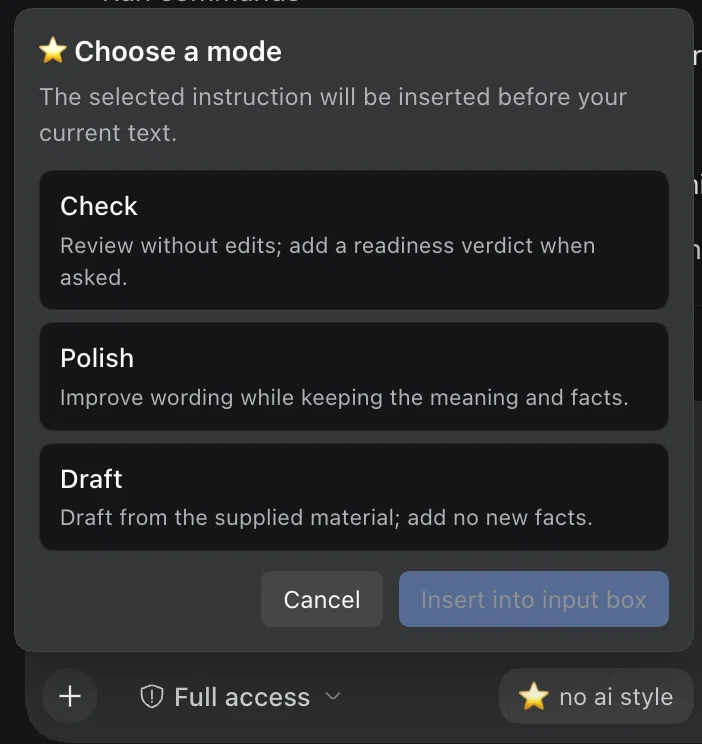
| Mode | Label | Output |
|---|---|---|
audit |
Check | Diagnostic findings and suggestions only; source files are never modified. When asked about submission readiness, adds a verdict and any unresolved issues. |
revise |
Polish | Edited prose within the requested scope, preserving all facts, data, and citations. |
compose |
Draft | A clean draft built strictly from the notes and evidence you provide. |
Light editing is the default; ask for a deeper rewrite when needed. The skill matches the language of the source text and leaves clear, well-written passages alone.
Use no-ai-style to check this.
Use no-ai-style to polish it.
Use no-ai-style to draft from these notes.
Two markers enforce factual accountability:
[EVIDENCE GAP]— flags an unsupported claim and blocksreadyuntil the missing source or data is supplied.[INTERPRETATION FLAG]— marks an ambiguous point that requires author confirmation.
In the composer
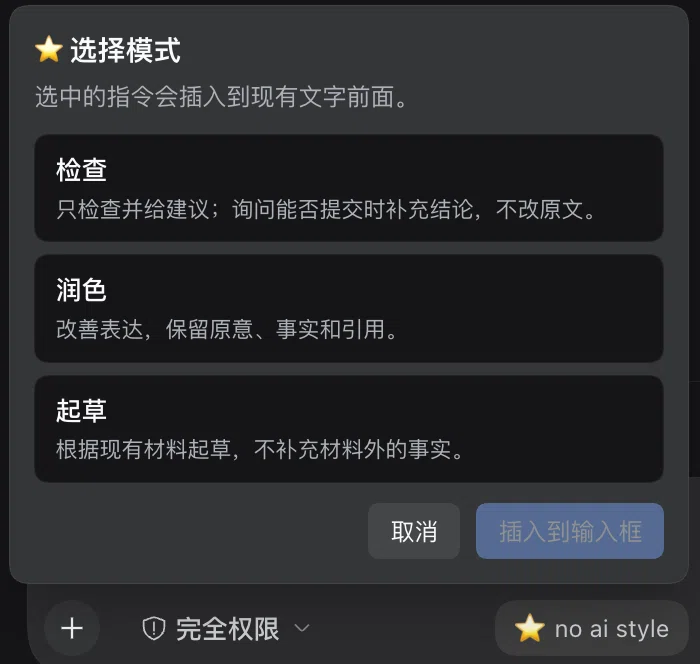
The DSH plugin adds a ⭐ no ai style button to the composer toolbar. Selecting a mode prepends the matching instruction to your current draft in the active UI language (English, Chinese, or Japanese) while keeping everything you have already typed.
Insertion supports standard undo. If a draft contains file or command references that an older DSH version cannot preserve during text insertion, the plugin skips insertion rather than flattening those references into plain text.
Install
DeepSeek Harness
In the app: Go to Settings → Plugins, add github:01NGVI-QINGYI/no-ai-style, and restart.
From the CLI: Pass your active profile to --profile (web for dsh web, or desktop for the desktop app):
dsh plugin --profile web add github:01NGVI-QINGYI/no-ai-style
The plugin registers its own skill provider, making the skill available across all sessions in that profile without modifying your project, custom, or user skill directories.
Skill only (without the DSH plugin)
Install the standalone skill into .agents/skills from your DSH project directory:
npx skills add 01NGVI-QINGYI/no-ai-style --agent universal --copy
Other agents
Interactive setup — choose your agent when prompted:
npx skills add 01NGVI-QINGYI/no-ai-style
Direct installation — choose one agent:
The commands below install globally. To install in the current project instead, remove --global.
Codex
npx skills add 01NGVI-QINGYI/no-ai-style --global --agent codex
Claude Code
npx skills add 01NGVI-QINGYI/no-ai-style --global --agent claude-code
Cursor
npx skills add 01NGVI-QINGYI/no-ai-style --global --agent cursor
Pi
npx skills add 01NGVI-QINGYI/no-ai-style --global --agent pi
Manual installation: Copy skills/no-ai-style/ into your agent's skills directory.
Local verification scripts
Two zero-dependency Python 3.9+ scripts run locally from the repository root:
python3 skills/no-ai-style/scripts/audit_prose.py draft.md --lang auto
python3 skills/no-ai-style/scripts/compare_anchors.py before.md after.md --format json
audit_prose.pyscans drafts for template phrasing, unresolved evidence markers, and structural issues.compare_anchors.pychecks that numbers, units, dates, and citations remain unchanged between revisions.
Both scripts run entirely offline. Treat their output as review prompts rather than mechanical rules: unclosed comments or code fences trigger warnings, and --strict exits with code 1 when unresolved evidence markers or unclosed markup are present.
License
MIT · Skill v1.0 · DSH plugin v1.2.2 · by 01NGVI-QINGYI
Built for clear, faithful writing—not AI-detector evasion. Full editorial rules are in SKILL.md.
No comments yet. Be the first to write one.